Quote:
Originally Posted by PropellerHead

...the BT OBD connects to Torque now just fine. I am committed to figuring out the data upload and analysis stuff. But it was the Tourque that seemed to give me updates more quickly than the I-Bus app. Which makes some sense. OBD being what it was made for and I-Bus being an afterthought for broadcasting the data.
... I was particularly impressed by the data on the engine load, speed, and yet, consistently varying temperatures. Does the make ANY sense to ANYone?....
|
I've been trying to use four Android apps to give me reliable data that I can't get from my missing MID display, non-Android radio, and no I-bus interface (yet). I can get different combinations of PID's on each of the apps (Torque Pro, OBDLink, Bimmertool Pro, and Deep OBD), but connecting to each requires that I use an OBD dongle or a K-line/OTG cable plugged into a different Android device.
If that's confusing, I've been fighting this problem since I installed an electric fan, months ago. Using the
- 1) OBDLink LX OBD dongle, enables
- ....a) my dedicated spare phone (Samsung SM-J327A) to connect with the Torque Pro app -or-
- ....b) the 8" Lenovo tablet connects with the OBDLink app, while
- ....c) my personal phone (Samsung SM-G955U) connects to either; while
- 2) K-line/OTG cable enables only my personal phone to utilize the Bimmertool Pro app.
- 3) Nothing seems to let me utilize the DEEPOBD app, yet (I must've configured it wrong, somehow).
Each connection using whatever combo took 15-30 minutes, usually, until I added an automation app called Macroid to the dedicated (to the X5) phone. Now, it connects within a minute, so I use Torque Pro exclusively, to monitor as much as I can, on several different screen dashboards. Primarily coolant temperature, fuel trims, MAF, and throttle on one screen, O2 sensors, vacuum, speed, load, rpms, etc, on two others, with a running live data feed on a third, and emission monitors on anither. The coolant temp is a must have over all others, IMO.
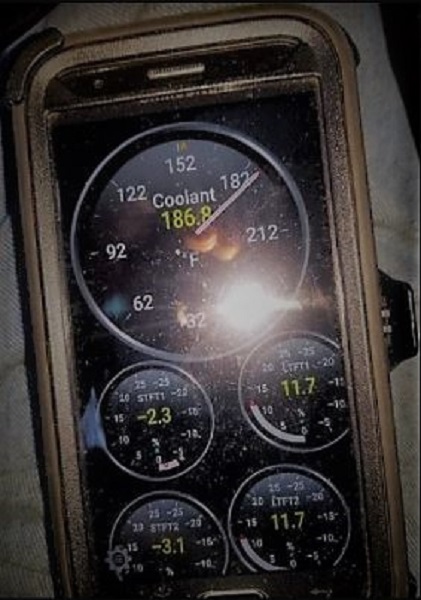
I've been using Torque Pro for nine years, but only now am I tryingto troubleshoot problems using it, not as a code clearing device and emission monitor, which I mostly had done all that time. I got my first smartphone just to use that app (otherwise, I'd still be using my flip phone).
Of course, the Ibus app/Resler interface combo gives a nice way to monitor parameters, and modify/code your BMW to perform cerain activities; Torque Pro (and the other apps mentioned) does not.The display screen is quite nice, readable, and customizable, no matter what Android device it's installed on.

Until I actually get the Ibus/Resler setup for my tablet (which usually serves as my "offline map/driving conditions monitor"), I'll keep using the Torque Pro app as my go-to, unless I find a Foxwell-type scantool thhat I can read while driving.