Quote:
Originally Posted by X5chemist

|
As you may remember, I've been trying several Android apps to supplement the lack of data displayed on my X5's instrument panel. My X5 has the low cluster, and no MID, so I've been using an old phone and a tablet instead.
Everyone has suggested that I scrap my current set-up, and replace the new-ish non-Android radio in the dash, and use the I-bus app + Resler adapter to display pertinent data on the radio screen, as reported thru the I-bus system. That's my ultimate solution, but not yet.
Right now, my interim solution is using my 8" tablet (usually running Torque Pro, but sometimes BimmerTool or OBDLink for data, and Google maps -offline- on another screen), and using a CD-slot mount to place the tablet close at hand. I hardly ever listen to the radio, but when I do, the stations are easily changed with the tablet in place, or I'm using a USB flash drive for tunes.
The CD-slot mount eliminates the need for the small spare phone I was using for data, and the stalk-mount I used for the tablet (which wobbled, and was out of my direct line of sight).
 old system, two devices, not very usable
The new system, with only one device mounted close at hand, on a CD-slot mount
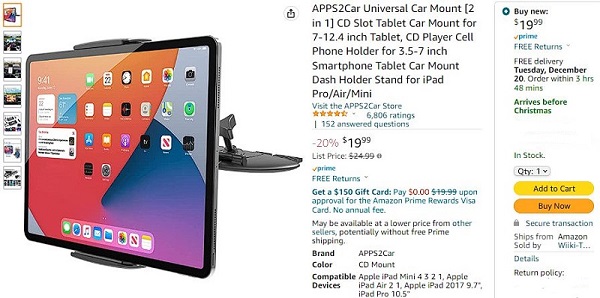
 a much better, safer mount
X5chemist
a much better, safer mount
X5chemist- do you intend to use your new Android tablet just for your Ram pickup, or to use it there and in your X5 as well?
Torque Pro and OBDLink apps will work for either vehicle, I think (Mopar electronics are a mystery to me...I haven't owned one since '72, a '67 Dodge Monaco 500 2-dr hardtop). Since you probably would like a better mount for the X5 than I have, then maybe you might look at ProClip 852854, to which you could attach a heavy-duty tablet mount.

a good base for a mount
I made my own mount for my "camping" truck, since I wasn't afraid to drill into the dash, but I'm sure that's probably not an option on either of your vehicles.


