Quote:
Originally Posted by royemaun

hi all,
i bought the GT1 package from Yohotech last month, managed to installl the DIS v55 and SSS v32, followed the instructions on how to configure the yellow diagnostic head but i can't get it recognized by DIS - it's not appearing on the free diag. head list. Mr. Jackey from yohotech could not provide me a solution on how to fix this issue plus their communication is really bad, so i've decided to give it a shot here. can you please help me? i'm desperate!
thanks in advance
cheers,
royemaun
|
royemaun,
I'll try my best to help you out. First, confirm you were able to:
1 – Set your laptop IP address, Subnet Mask and Default Gateway
2 – Install & Configure VMware Player software
If you can go back and verify the IP address for the laptop and the three virtual network connections are set and working properly, then we can continue with:
3 – Configure DIS v55 to recognize DK (yellow diagnostic head)
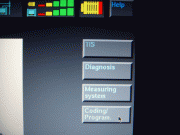
Also, if the diagnostic head is already connected, you will not be able to see it under the Free Diagnostic Heads section. Can you upload a pic of what it looks like now in DIS in the upper right corner like this:
- Jose