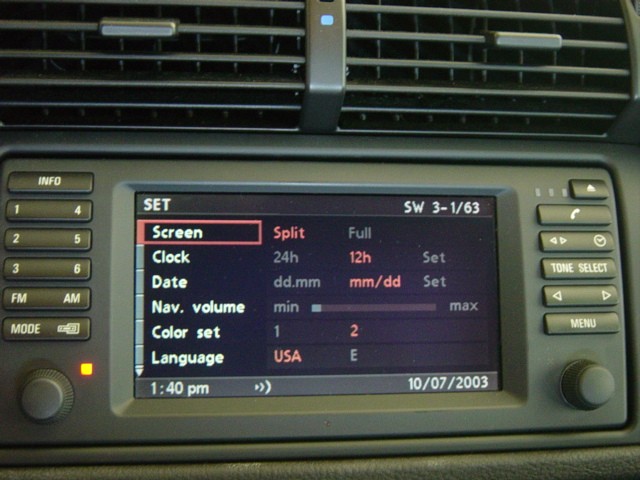
Are you saying that when you press the MENU button and the screen below comes up...you don't have SETTINGS listed?
If you do, when you select it and press the right knob...you should get 2 pages of selections you can adjust...one of them is
NAV VOL. ...if you don't get this...what do you get when you select SETTINGS?
Press the MENU button to bring up this screen below

You should then see the first screen pictured below (and from the Nav owners manual)...NAV VOL is the 4th adjustment down...press the right KNOB on the Nav...and you can then adjust the Nav's volume vs music/radio/CD/Tape being played...as others mentioned...lowering the VOL...the nav enunciates "softer"...raising the VOL the nav enuciates "louder":
(image below courtesy of Xoutpost Nav FAQ thread)