
|
|
|
|
||||||||||
| Xoutpost server transfer and maintenance is occurring.... |
| Xoutpost is currently undergoing a planned server migration.... stay tuned for new developments.... sincerely, the management |
 |
|
|
LinkBack | Thread Tools | Display Modes |
|
#11
 07-15-2023, 11:06 AM
|
|||
|
|||
|
Quote:

|
| Sponsored Links | |
|
|
|
|
#12
07-16-2023, 08:54 AM
|
|||
|
|||
|
When I had issues with the BC button, a used programmed GMIII body control module fixed it. The GMIII module monitors and controls so much stuff.
__________________
'06 X5 3.0i - bought @143,123 miles (12/26/20)
|
|
#13
07-16-2023, 10:49 AM
|
|||
|
|||
|
Quote:
Do you know if they need coding to the car?
|
|
#14
07-16-2023, 12:36 PM
|
|||
|
|||
|
Yes, it needs coding. I was chasing two parasitic draws. Plus, BC display, inside lighting, and F60 issues. All of them went away by replacing the GMIII module.
__________________
'06 X5 3.0i - bought @143,123 miles (12/26/20)
|
|
#15
07-17-2023, 05:17 PM
|
||||
|
||||
|
I got lost, too...sorry if you've already tried the suggestions below:
 In regard to selecting miles/Fahrenheit vs kilometers/Celsius...have you done the procedure in the owners manual that changes these scales? The procedure is similar to unlocking the cluster...they are so similar that many owners end up switching the scales when they attempt to unlock the cluster to check the hidden menu.
Next time you turn the ignitnion on...the scales for mileage and temp should have changed to the other scale.  If you've disconnected the battery recently...then this could be why you've lost the BC programming. Have you tried reprogramming the OBC features you want to appear in the instrument cluster?  
__________________
Become a BMW CCA member! Click HERE to join and feel free to use my BMW CCA member #191509 as a referral.

|
|
#16
07-17-2023, 05:20 PM
|
|||
|
|||
|
Quote:
I’m unable to reprogramme the BC button- holding it in just does nothing…🥲 I am very stumped…
|
|
#17
04-10-2026, 05:58 AM
|
|||
|
|||
|
Hi - I am also unable to reprogramme the display by holding the BC button down and my issue is when I attempt to start the car I get CODE---- displaying on the computer strip on the dash.
A mechanic with BMW software could not get the software to 'connect' to my cars system so no full diagnosis, with a 'LAUNCH brand' tablet scanner he was able to -re-initialise the imobiliser system but that changed nothing. turning the key does nothing (no click, no starter engaging just silence) New battery installed now and still the same. Does any of these issues sound familiar to you chaps The car handbook tells me to utilise the MID unit on the centre console to input a code. neither my car nor a friends ever had a MID unit (different dash configuration) current vehicle is: 2004 X5 E53 sport diesel 3.0L
|
|
#18
04-10-2026, 03:30 PM
|
||||
|
||||
|
Quote:
I think you will need either a MID or a factory NAV screen to access the CODE feature. The CODE feature is a 4-digit PIN code that diables the starting system (via the alarm module). It seems it can get enabled in error sometimes (power glitches etc.) and I'm not aware of a way to clear it without eother a MID unit or a factory NAV unit. I've read that you can bypass the CODE to start the car, using this method: - Key position 0 Pull Fuse #43 Then start Never tried it myself but at this point, it could be worth trying? You can re-insert the fuse once the car is running, to get teh dash working again, and you'll have to do this each time until you sort the code. And BTW, it seems that it's common in case like this for the code to be the default - 2767 - but you are still going to need a method to enter the code. You can plug in a MID unit temporarliy to do this - check for one on eBay? 
__________________
Wayne 2005 BMW X5 3.0d (b 02/05) 2001 BMW F650GS Dakar (b 06/01) 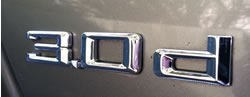
Last edited by wpoll; 04-10-2026 at 03:41 PM.
|
|
#19
04-10-2026, 03:54 PM
|
|||
|
|||
|
in response to wpoll
Dash configuration is as new but aftermarket head/NAV unit, I bought a factory NAV unit but it has different connectors so cannot use that. Never had a MID unit in my X5.
What is the method to enter a CODE with a NAV unit only from factory? (handbook does not tell me) I have been using the method you mention (pulling the fuse) but after replacing the battery the alarm goes off when I put back the fuse now so that's not an option I am looking out for a MID unit but need to see connectors so I know it will be able to connect. Thanks for this information
|
|
| Bookmarks |
|
|
|
|









 Linear Mode


