
|
|
|
|
||||||||||
| Xoutpost server transfer and maintenance is occurring.... |
| Xoutpost is currently undergoing a planned server migration.... stay tuned for new developments.... sincerely, the management |
 |
|
|
LinkBack | Thread Tools | Display Modes |
|
|
|
#1
 06-29-2009, 04:04 PM
|
|||
|
|||
|
Please help me install a Bluetooth System using a TCU, I have read everything....
My friend has a 2005 XP. I bought the TCU from him because he wasn't using his Bluetooth ( I don't know why). The model number is
84 10 6963798 It has four connections and the main connector. The left one (when looking straight at it) is black, then purple, then black, and the one to the far right bu itself is white. I need help identifying them please. I have a 2002 X5, No Navi, No DSP. I have the main connector and two purple colored connectors? but thats it. then I took the cover off, near the sun roof. One I connected the mic into, the other one connets to switch with a (phone and sos button) and (phone with wrench). I am not sure what they do, but thats how it was connected in his. I am quite not sure where the bluetooth anteena connects to. Please help me on this. I know people in here has managed to get a TCU to work for bluetooth phone....... 

|
|
#2
06-29-2009, 05:17 PM
|
||||
|
||||
|
It looks like your car has the correct 54-pin TCU plug, so your installation should be relatively easy.
The plugs in the car are color-coded to match the color coding on the parts sticker of the TCU. You should see a row of little colored squares by the coax antenna cable plugs. Also, they are physically keyed so that they should only connect to the correct plug on the TCU. You will need to get a Bluetooth antenna and Bluetooth antenna cable. This will connect to the cream color coded coax plug. That should be the one on the far right, by your description. The official Bluetooth antenna location on the X5 is above the TCU, I think. However, lots of people just use double-sided tape to stick it in the electronics compartment. You do not need to connect your car's existing antenna cables to the TCU. They would only be applicable for Assist. However, if you want to connect them, just try each post-- the correct cable should only connect to its correct corresponding post on the TCU. The SOS and wrench buttons are related to BWM Assist. It sounds like you found the mic plug and connected it OK.
__________________
SOLD 2000 E38 750iL Highline Edition, Upgraded with the lastest 2006 X5 Electronics MKIV Navigation, 16:9 Display, Bluetooth, TV/Video with Backup Camera, Sirius, and Aux Input
|
|
#3
06-29-2009, 09:15 PM
|
||||
|
||||
|
I would request this to move to the bluetooth forum. Great help from those guys that frequent that forum. Got my mess of a TCU install working with a Euro harness. Amazing the knowledge on this site.
Brian is one of those.. so off to a good start. You definitely need the antenna - but you should be able to see the signal even without it. Do you have no lights beside phone on dash (nav or non-nav display?) First 2 min u start the car the TCU should go into pairing. Stand at the back of the car and do a search. All that should work and then get the antenna to get some range so you can actually have the phone while your driving. lol.
__________________
-- 2005 LeMans Blue e53 4.8is MODs ///LeMans Blue RBs///Intravee II///Sirius///ACS Spoiler///AiB v3///HID Fogs///LED Tails/// ///215 20" Ferric Gray///MTEC Pedals///DVD Headrests///SMG M Wheel///AFE CAI Stage 2    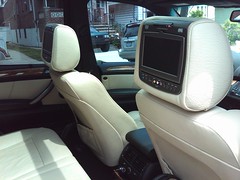
|
|
#4
06-30-2009, 08:37 AM
|
|||
|
|||
|
Brian-bmw, rastaFarai
Thank you for the comments. Like I said I got the TCU from a friends X5. In his car, there was a purple and a white. In mine there were two purples. And these two are physically keyed. One purple connector would fit to the purple coded jack, I just had to cut a small notch in it. I think this is the antenna wire which comes to the center console, where you care suppose to connect the bluetooth antenna. In short, I manged to get it to work.....sort of. It paired just fine. But the signal is very weak, I couldn't find the bluetooth antenna on my friends 2005 X5 3.0i. Does anyone know where it is located in the vechicle? I think if I hook the anteena to the wire that comes to the center console everything should work just fine. It didn't recoginise the voice command though. When I press the "speak button on steering wheel", it asks me what I want to do, but it doesn't quite do anything. I guess I need to play around with it.
|
|
#5
06-30-2009, 08:48 AM
|
||||
|
||||
|
don't think i have a pic of the bluetooth antenna but it's in the trunk and has a purple end to connect to it, the white end connects to the TCU. This is why you have weak signal. Same thing happened to me, i had my antenna plugged in wrong. The other purple connector connects to the front of the car for the mic etc i believe. The white and purple wire is for your antenna. You shouldn't have to notch anything if the cable is plugged into the right place.
Voice command.. I'm not sure.. I'd request the MODS to move this to bluetooth forum, you'll get some more experts in there (I am not an expert, just had an experience of my own.. I won't speak for Brian lol, in my eyes he's one of the experts )
__________________
-- 2005 LeMans Blue e53 4.8is MODs ///LeMans Blue RBs///Intravee II///Sirius///ACS Spoiler///AiB v3///HID Fogs///LED Tails/// ///215 20" Ferric Gray///MTEC Pedals///DVD Headrests///SMG M Wheel///AFE CAI Stage 2
|
|
#6
06-30-2009, 09:22 AM
|
|||
|
|||
|
Thanks rastaFarai, I have read a lot of Brian's thread and thats where I got the idea. I just need to play around with it a bid. I couldn't find my friends Antenna to take it off his car. I might call the local stealer or order one online.
|
|
| Bookmarks |
|
|
|
|





 Hybrid Mode


