
|
|
|
|
||||||||||
| Xoutpost server transfer and maintenance is occurring.... |
| Xoutpost is currently undergoing a planned server migration.... stay tuned for new developments.... sincerely, the management |
 |
|
|
LinkBack | Thread Tools | Display Modes |
|
#1
 02-27-2010, 04:18 PM
|
|||
|
|||
|
How Do I Erase Phone Directory In X5
Ken 
|
| Sponsored Links | |
|
|
|
|
#2
02-27-2010, 10:31 PM
|
||||
|
||||
|
Good luck getting an answer on this. So far I know that the dealer can hook it up to the DIS and delete all the paired devices, but that's about it.
'factory resetting' or deleting BT ULF stored contents - Page 2 - Xoutpost.com
|
|
#3
03-04-2010, 10:00 AM
|
||||
|
||||
|
From BMW ULF Owners Manual
Deleting Devices The paired BluetoothTM mobile phones can only be deleted as a single group from the ULF control module. The pairing procedure must first be activated, and then the send/receive button on the installed eject-box or the pairing button located at the rear of the center console must again be depressed for an additional 10 seconds after the “Bluetooth Pairing” message is displayed on the radio in order to clear the list of paired devices from the control module and the message “paired devices deleted” is displayed.
__________________
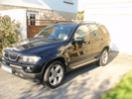
2003 X5 (E53) 3.0d Sport Black Sapphire / Black Leather/Carbon trim Eco Re-map - 260bhp, 40mpg @ 75mph Last edited by BM_MAD; 03-04-2010 at 10:21 AM.
|
|
#4
03-04-2010, 02:43 PM
|
||||
|
||||
|
I am referring to the USA TCU unit, not the ULF.
|
|
| Bookmarks |
|
|
|
|








 Linear Mode


