
|
|
|
|
||||||||||
| Xoutpost server transfer and maintenance is occurring.... |
| Xoutpost is currently undergoing a planned server migration.... stay tuned for new developments.... sincerely, the management |
 |
|
|
LinkBack | Thread Tools | Display Modes |
|
#1
 06-10-2013, 01:28 PM
|
||||
|
||||
|
General coding question
How do I know which module to choose when multiple modules with apparently different versions appear in the list? For example, in NCSExpert, when I want to load the daten files for the LCM, I see entries in the module list for LCM.C18, LCM.C19, LCM.C20... LCM.C24. Should I simply choose LCM.C24, assuming it's the latest and most current, or is one of the others more specific to my model year E53? Thanks in advance for your help!
__________________
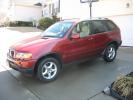 2003 E53 3.0i DOB 10/15/2002 Sienna red, Savannah Beige Dakota leather Type FA53, Engine M54B30 2018 G02 30i DOB 4/21/18 Black Sapphire Metallic / Canberra Beige Vermasca leather Engine B46O 
|
| Sponsored Links | |
|
|
|
|
#2
06-10-2013, 02:19 PM
|
||||
|
||||
|
You have to read the current module on your E53 and see which version it's equipped with.
ALWAYS save the original TRC file after your reading just in case you need it back. Use NCSDummies to manipulate and export MAN file. It's very user-friendly, unlike NCSExpert.
__________________
 00 E39 DINAN S1 //M5 (82k miles) 06 E53 DINAN 4.8iS, born 2/18/2006 (126k miles) http://www.xoutpost.com/bmw-sav-foru...s-my-dslr.html 90 Straman Z32 TwinTurbo Convertible, (1 of 44 ever made) 5 speed, 444rwhp/451rwtq 01 360 Novitec Spider F1 (26k miles)
|
|
#3
02-16-2014, 10:26 PM
|
||||
|
||||
|
Quote:
__________________
Gone, but not forgotten: 2003 X5 3.0i - 135k - the most expensive club in the world. Premium, Cold Climate, Rear Climate Service History Mods and Retrofits: Satellite radio, MediaBridge, DEPO HIDs + LED AEs, M-B W164 rear-light mod, clear corners, BSW x108 Subwoofer System, illuminated door handles, titanium grill, compass/auto-dim mirror Traded 9/1/16 -- 5UXFA53533LV80809 -- If you know his whereabouts, please contact me.
|
|
#4
02-16-2014, 11:53 PM
|
|||
|
|||
|
Quote:
I think my coding worked to turn cold monitoring off but everything else failed, (fogs with high beams, windows up on locking, ect..) even though NSCexpert said 'coding ended' I, like you, got the 3 beeps and seatbelt warning and that was it. Could it be because I have a Canadian x5 model?
__________________
2005 X5 4.8IS
|
|
#5
02-17-2014, 12:22 AM
|
||||
|
||||
|
Quote:
I tried coding in Progman and NCS, can't get drive-away locking coded in either even though it says everything coded successfully.
__________________
Gone, but not forgotten: 2003 X5 3.0i - 135k - the most expensive club in the world. Premium, Cold Climate, Rear Climate Service History Mods and Retrofits: Satellite radio, MediaBridge, DEPO HIDs + LED AEs, M-B W164 rear-light mod, clear corners, BSW x108 Subwoofer System, illuminated door handles, titanium grill, compass/auto-dim mirror Traded 9/1/16 -- 5UXFA53533LV80809 -- If you know his whereabouts, please contact me.
|
|
#6
02-17-2014, 01:49 AM
|
||||
|
||||
|
The drive-away function is coded in multiple lines of codes - i do not remember off the top of my head, but you code the speed, then you code the module (i think GM is involved) and you also code the individual keys (4 keys active at a time)... have you had a chance to look at bmwcoding.com site?
also, you need to make sure that you are coding one module at a time, and not all at once... I use in addition to NSC Dummy, the BMW Coding tool - it is a small program that also gives the instructions in reading and the programming - just follow the onscreen instructions on the BMW Coding tool, as it reads your old file, lets you make changes to the file and saves it as a new file while saving old file as a backup, and then tells you how to program the new file into the module... try it out, if you haven't yet...
|
|
#7
02-17-2014, 01:56 AM
|
||||
|
||||
|
I was actually just getting ready to post. I finally gave up and got a shower, got in the X and headed to the bar, and wouldn't you know my doors locked at ~10mph. Color me happy! Now to find out if I was able to successfully code off adaptive brake lights
__________________
Gone, but not forgotten: 2003 X5 3.0i - 135k - the most expensive club in the world. Premium, Cold Climate, Rear Climate Service History Mods and Retrofits: Satellite radio, MediaBridge, DEPO HIDs + LED AEs, M-B W164 rear-light mod, clear corners, BSW x108 Subwoofer System, illuminated door handles, titanium grill, compass/auto-dim mirror Traded 9/1/16 -- 5UXFA53533LV80809 -- If you know his whereabouts, please contact me.
|
|
| Bookmarks |
|
|
|
|









 Linear Mode


