
|
|
|
|
||||||||||
| Xoutpost server transfer and maintenance is occurring.... |
| Xoutpost is currently undergoing a planned server migration.... stay tuned for new developments.... sincerely, the management |
 |
|
|
LinkBack | Thread Tools | Display Modes |
|
#1
 05-18-2005, 03:38 AM
|
||||
|
||||
 x5 '05 bluetooth pair problem.
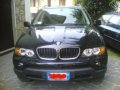
x5 '5 equipped with Navigator, Bmw Assist, etc. I tried to pair more than one cell phone using the procedure described http://www.bmwmotorsports.org/pdf/841304.pdf, I follow step by step the guide but when I push the R/T button noting happend on MID or board monitor.  My phone see the bluetooth BMWxxxx but no more. Any one can help me? Thanks for your help. Any help is much appreciated. 
|
| Sponsored Links | |
|
|
|
|
#2
05-18-2005, 07:40 AM
|
||||
|
||||
|
Here's some troubleshooting tips - http://www.bmwmotorsports.org/pdf/B8...hDiagnosis.pdf
__________________
 Xoutpost.com - where you come for the information but stay for the friendships
|
|
#4
05-20-2005, 02:06 AM
|
||||
|
||||
|
Thank you for precious answers,
the real problem is that nothing apper after turn the key and pressing the R/T button! no messages on car's computer or display  I tried to pair: nokia 6310 (correct sw version) nokia 6600 blackberry 7100 sony v800 all the mobile phone recognized the BT on bmw (BMWxxxxx) and only the phone ask me the BT passkey, after that all the mobile phone are not visibile on the computer's car. Again, all the answer will be appreciate. 
|
|
#5
05-31-2005, 12:56 PM
|
|||
|
|||
|
Actually, very little happens on the vehicle displays to indicate that your phone is paired with your car. In my case, if I happen to be on the Telephone screen on the Nav monitor, it briefly flashes "Loading Phonebook" and that is it. It is in fact paired and working fine. If I press the R/T button on the steering wheel, it just starts showing the phonebook on the MID which you can scroll through. I suppose that if you didn't have any entries in your phonebook (or hadn't given it enough time to download them) you wouldn't see anything after hitting R/T.
Also, make sure that you set the phone to automatically search and accept BT devices and that BT is on. I guess the best test of a successfully paired phone would be to go to the Telephone screen and try and dial out (or dial your phone and see if you can pick it up from the wheel).
|
|
#6
06-03-2005, 10:32 AM
|
||||
|
||||
|
Many thanks for your answer, I try to better explain the problem:
after pairing procedure (discovery BT and give the BT pass key pushing R/T button) I didn't see the bluetooth mobile phone on my nav screen instead my mobile phone see BMWxxxxx and ask me the BT password. Reading the documentation my BT support till 4 mobile, now I have only the bmw phone with sim plug, and it works fine. The problem is to pair another mobile phone. Probably I' am wrong..... any help will be appreciate. 
|
|
| Bookmarks |
|
|
|
|







 Linear Mode


