Quote:
|
Originally Posted by ralphy4321
1. Go to the main menu and then settings. Press the menu button for about 10 seconds until
a new service menu appears.
2. Scroll all the way down until you see PERSPECTIVE
3. Enable perspective by selecting it.
4. Now go to your navigation map
5. Now, you can go select "Perspective" in the Map positioning option
I hope this helps, I paid 5 dollars for this info from someone in Ebay on time, I never tried it because I then notice I had a MKIII
|
Cheers ralphy4312 got it first time, nice little trick
__________________
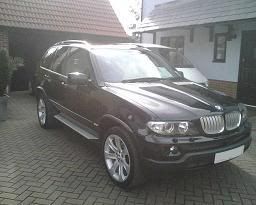
2006 E53 X5 3.0D Sport Carbon Black, Premium Sport Package, Exc Light Beige Nappa Leather, Titanium Grills & Vents, Titanium Interior, Titanium Skid Plate,
Mk4 Sat Nav, TV, Bluetooth Comms Pack, 20 Inch Rims, DSP, Flared Arches, Heated Seats, Tints, De-Badged
|

 03-25-2008, 12:37 PM


 Threaded Mode

