
|
|
|
|
||||||||||
| Xoutpost server transfer and maintenance is occurring.... |
| Xoutpost is currently undergoing a planned server migration.... stay tuned for new developments.... sincerely, the management |
 |
|
|
LinkBack | Thread Tools | Display Modes |
|
#1
 10-16-2008, 07:20 PM
|
||||
|
||||
|
Nav Newbie - how do i know if i have mk3/4?
The next question is, what is the difference between mk3 and mk4? Big difference? I don't have it installed yet - so as soon as i can i'm going to get it plugged in and tested out in the car. hopefully by end of next week.
__________________
-- 2005 LeMans Blue e53 4.8is MODs ///LeMans Blue RBs///Intravee II///Sirius///ACS Spoiler///AiB v3///HID Fogs///LED Tails/// ///215 20" Ferric Gray///MTEC Pedals///DVD Headrests///SMG M Wheel///AFE CAI Stage 2   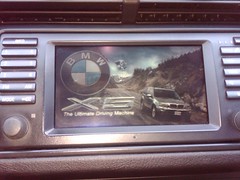 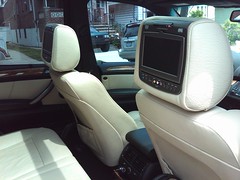

|
| Sponsored Links | |
|
|
|
|
#2
10-16-2008, 08:24 PM
|
||||
|
||||
|
If the faceplate where you plug in the nav disk says "DVD" then you have a Mk4. Otherwise is it likely a Mk3
The Mk3 can only use CD map disks (different regions on each disk) and is much slower. The Mk4 can use DVD map disks (the entire US on a single disk) and is much faster.
__________________
 Xoutpost.com - where you come for the information but stay for the friendships
|
|
#3
10-16-2008, 08:49 PM
|
||||
|
||||
|
Quote:
Nice!!! Good to know.. i feel like my harness is mangled.. like he did some cutting when he took it out the car.. will have to compare it to the DIY article.
__________________
-- 2005 LeMans Blue e53 4.8is MODs ///LeMans Blue RBs///Intravee II///Sirius///ACS Spoiler///AiB v3///HID Fogs///LED Tails/// ///215 20" Ferric Gray///MTEC Pedals///DVD Headrests///SMG M Wheel///AFE CAI Stage 2
|
|
| Bookmarks |
|
|
|
|





 Linear Mode


