
|
|
|
|
||||||||||
| Xoutpost server transfer and maintenance is occurring.... |
| Xoutpost is currently undergoing a planned server migration.... stay tuned for new developments.... sincerely, the management |
 |
|
|
LinkBack | Thread Tools | Display Modes |
|
#1
 06-26-2007, 11:22 AM
|
||||
|
||||
|
TV Brightness
Simon. 
|
| Sponsored Links | |
|
|
|
|
#6
07-04-2007, 01:24 PM
|
||||
|
||||
|
Its in the menu setting. goto set, when in set program hold down the menu button for 10 seconds and than another setting menu will appear. look into onboard monitor or computer and u will see brightness. that might work
__________________
 2001 X5 4.4i WHITE-Loaded like a baby's diaper SOLD 2001 X5 4.4i WHITE-Loaded like a baby's diaper SOLD
|
|
| Bookmarks |
|
|
|
|


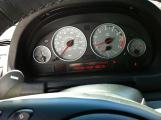
 Anyone else have this problem or is it just me?


 Linear Mode


