
|
|
|
|
||||||||||
| Xoutpost server transfer and maintenance is occurring.... |
| Xoutpost is currently undergoing a planned server migration.... stay tuned for new developments.... sincerely, the management |
 |
|
|
LinkBack | Thread Tools | Display Modes |
|
#3
 02-06-2007, 06:07 PM
|
||||
|
||||
|
Mine does this sometimes but its caused by the dsp amp not operating properly! If you wait long enough the dsp option on the menu goes grey!
It happens maybe once every 2 months for me and I just pull over take the key out of the ignition, lock the doors using the remote - then unlock, start engine and all is well again. I'm not sure this is the radio module though as my Range Rover's original radio did this before I swapped it out for a BMW unit with aux input! Andy.
__________________
Range Rover 4.4i V8 Vogue on Gas! BMW Mk4 Dvd Nav, BMW Bluetooth, Aux Input, Digital Hybrid Tv Tuner, Dvd Changer & Headrest Screens  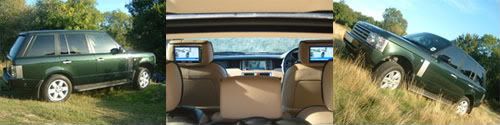

|
|
#5
02-06-2007, 06:41 PM
|
||||
|
||||
|
Quote:
Do you have the "DSP" option on the main menu? If so, then you have the DSP amp in your car. If not, then you have either the standard HiFi amp or no amp. Go to the SETTINGS menu from your main menu. The software version will be displayed in the upper right corner of the screen. What is that number? Updates to the OS are pretty easy. You just need to download the latest OS disk image, burn a CD, and do the update. Here is a link with instructions on doing the upgrade yourself, and it has links to the OS images http://www.xoutpost.com/articles/all-...ystem-faq.html Lastly, if all you want to do is update your 2001 map disk, that is as easy as it gets. You can buy a new one directly from navteq (www.navteq.com) or you get get one from eBay.
__________________
SOLD 2000 E38 750iL Highline Edition, Upgraded with the lastest 2006 X5 Electronics MKIV Navigation, 16:9 Display, Bluetooth, TV/Video with Backup Camera, Sirius, and Aux Input
|
|
#6
02-11-2007, 07:54 PM
|
|||
|
|||
|
Hi Brian-bmw. on nav screen setting i get software version is SW 3 - 1/21. As I would like to upgrade the Nav system so that its as up to date as it can be - what will i need to do?
Last edited by ssd; 03-11-2007 at 02:47 PM.
|
|
#7
02-12-2007, 09:29 AM
|
||||
|
||||
|
You have a MKIII nav computer, but your OS release is very old, probably original to the car. The latest OS available for your computer is 3-1/63, which gives you the split screen view, as well as a few other minor options. Go to this link, and scroll to the bottom. That has instructions on how to do the upgrade yourself, and it has links to the OS CD images that you can download and burn to a CD.
http://www.xoutpost.com/articles/all-...ystem-faq.html
__________________
SOLD 2000 E38 750iL Highline Edition, Upgraded with the lastest 2006 X5 Electronics MKIV Navigation, 16:9 Display, Bluetooth, TV/Video with Backup Camera, Sirius, and Aux Input
|
|
#8
02-12-2007, 10:31 AM
|
|||
|
|||
|
Brian - ok 3 - 1/63 but which CD version would i need to download (v22 to v28). I do not have the KeyCD is there any way of getting it? I have a update map CD arriving soon. Can you damage the nav system by doing this incorrectly?. Would i need to update the OS version to benefit from the new map CD?
|
|
#9
02-12-2007, 02:09 PM
|
|||
|
|||
|
Any version v22 or higher has 3/1-63.
3/1-63 was the last version ever released for the MkIII. The nav OS disc is used for many different types of nav computers. So while the OS disc version keeps increasing as versions for MkIV and NAVI01, NAVI02 are updated, the version for MkIII stopped at 3/1-63 So any OS disc v22 or later is OK
|
|
| Bookmarks |
|
|
|
|





 Linear Mode


