
|
|
|
|
||||||||||
| Xoutpost server transfer and maintenance is occurring.... |
| Xoutpost is currently undergoing a planned server migration.... stay tuned for new developments.... sincerely, the management |
 |
|
|
LinkBack | Thread Tools | Display Modes |
|
#1
 04-15-2009, 12:03 AM
|
||||
|
||||
|
remove languages from DVD
So what do i need to do? I think everyone is speaking in general terms (because i've searched) and they say "open navboot" - i don't see a file with that name. Maybe it is that simple and i don't have the right DVD? I've bought pimpmyNav and i have imgBurn and UltraISO.. Don't have the serial for pimpMyNav yet - is this what i need? I'm by no means computer illiterate - I'm actually pretty good IMHO.. it's my day job. .but i can't find any step by step instructions on how to get rid of the different languages and make a copy of my DVD.
__________________
-- 2005 LeMans Blue e53 4.8is MODs ///LeMans Blue RBs///Intravee II///Sirius///ACS Spoiler///AiB v3///HID Fogs///LED Tails/// ///215 20" Ferric Gray///MTEC Pedals///DVD Headrests///SMG M Wheel///AFE CAI Stage 2   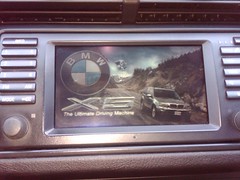 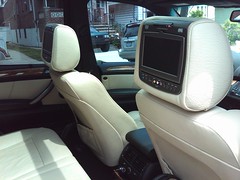

|
| Sponsored Links | |
|
|
|
|
#2
04-15-2009, 01:09 AM
|
||||
|
||||
|
Don't mix navi soft and map - navboot is in the navi SW image and you can NOT do anything by Navtweak in the map image (2009-1 is the MAP image)
To remove languages from the map (to fit it to the single layer DVD) just remove language folders which you do not need in TPD folder and save map image
|
|
#3
04-15-2009, 01:41 AM
|
|||
|
|||
|
The navboot is the computer program that the nav computer loads (OS).
The map disc contains the files that the nav program opens. To reduce the size of the map disc, you delete files from the map disc. There is no need to edit the nav's OS-program.
|
|
#4
04-15-2009, 09:24 AM
|
||||
|
||||
|
OK - i guess i'm not that smart lol. But it all makes sense now.
So I downloaded the new OS version disk. i think it's v32 - can I modify that OS? I've deleted the language folderes on map disc and it went from 67mb over to 63mb. The folders contain HTML files so it's not large files. I'll do some more investigation.. but thanks for getting me started in right direction lol Maybe when i'm done i'll do a navigation modification for dummies thread.. (ok maybe newbies and not dummies)
__________________
-- 2005 LeMans Blue e53 4.8is MODs ///LeMans Blue RBs///Intravee II///Sirius///ACS Spoiler///AiB v3///HID Fogs///LED Tails/// ///215 20" Ferric Gray///MTEC Pedals///DVD Headrests///SMG M Wheel///AFE CAI Stage 2
|
|
| Bookmarks |
|
|
|
|





 Linear Mode


