Home Forums Articles How To's FAQ Register
Go Back   Xoutpost.com > Electronics > Navigation System
Arnott
User Name
Password
Member List Premier Membership Today's Posts New Posts

Xoutpost server transfer and maintenance is occurring....
Xoutpost is currently undergoing a planned server migration.... stay tuned for new developments.... sincerely, the management


Reply
 
LinkBack Thread Tools Display Modes
  #1  
Old 12-17-2009, 05:08 AM
willy_manily's Avatar
Member
 
Join Date: Nov 2006
Location: Australia
Posts: 601
willy_manily is on a distinguished road
E39 Prewired for Navigation?

I have a E39 2001 525i Exec with the following:

1. Widescreen Display

2. TV Tuner

3. CD Changer

I was wondering if the car would be prewired for navigation? It seems stupid to sell a car with just a TV and no navigation drive.

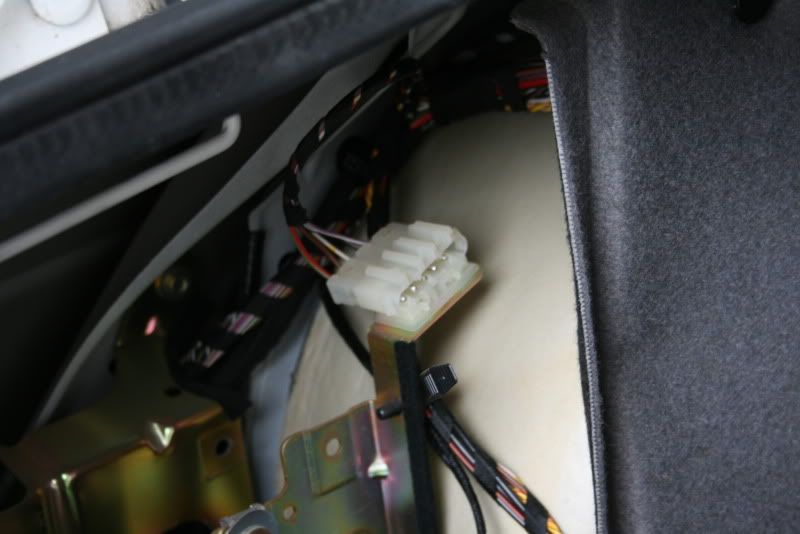
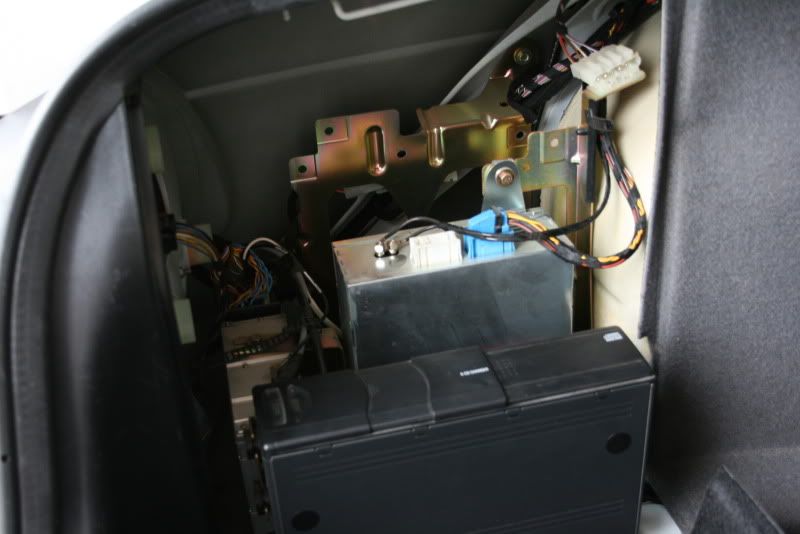
If i look in the back i can see a random power plug that has not been used, but i'm not too sure what i'm looking for.


__________________
2007 E70 X5 3.0D Black/Beige - SOLD
2012 E70 X5 40D Silver/Black
Reply With Quote

Sponsored Links

  #2  
Old 12-17-2009, 05:59 AM
ccfj1's Avatar
Member
 
Join Date: Sep 2006
Location: The UK.
Posts: 1,934
ccfj1 is on a distinguished road
Quote:
Originally Posted by willy_manily
I have a E39 2001 525i Exec with the following:

1. Widescreen Display

2. TV Tuner

3. CD Changer

I was wondering if the car would be prewired for navigation? It seems stupid to sell a car with just a TV and no navigation drive.
No, you have a car that was spec'd by a skinflint so only has the TV option.

You can have the nav as well, but you loose the TV, if you get the TV jump up loom (£60 from dealer), then you can have both.

To have both;

Buy the jump up lead.
Disconnect the blue lead from the TV module,
plug the blue plug into the jump up lead, plug the white and blue in to the TV and the other blue plug into the nav unit.

Now, you will need a 26pin plug to plug into the purple socket on the back for the nav unit.

You will need +12v
Audio out and
a wire from the dash (wheel sensor)

I have the pin numbers somewhere.

Running without these will not effect the nav working (it will work), it will just have no sound from the nav and the pointer on screen will not be smooth.

Quote:
If i look in the back i can see a random power plug that has not been used, but i'm not too sure what i'm looking for.
Not really sure abut that, if you can find what they are for, then the could be for the nav part.

HTH
__________________
Sept 03, M3, Silver Grey. Retro-fits: Modded Mk4 DVD Drive, OEM Bluetooth, VR Control, Rainbow Speaker Upgrade, Sony SOT Amp, HK Sub, CCFL, Intravee II, NightMode.
Reply With Quote
  #3  
Old 12-17-2009, 06:29 AM
willy_manily's Avatar
Member
 
Join Date: Nov 2006
Location: Australia
Posts: 601
willy_manily is on a distinguished road
Exclamation

Quote:
Originally Posted by ccfj1 View Post
No, you have a car that was spec'd by a skinflint so only has the TV option.

You can have the nav as well, but you loose the TV, if you get the TV jump up loom (£60 from dealer), then you can have both.

To have both;

Buy the jump up lead.
Disconnect the blue lead from the TV module,
plug the blue plug into the jump up lead, plug the white and blue in to the TV and the other blue plug into the nav unit.

Now, you will need a 26pin plug to plug into the purple socket on the back for the nav unit.

You will need +12v
Audio out and
a wire from the dash (wheel sensor)

I have the pin numbers somewhere.

Running without these will not effect the nav working (it will work), it will just have no sound from the nav and the pointer on screen will not be smooth.

Not really sure abut that, if you can find what they are for, then the could be for the nav part.

HTH
Is there a way i could tap into the sound through the Radio Tuner instead of running a new cable from the back to the front?

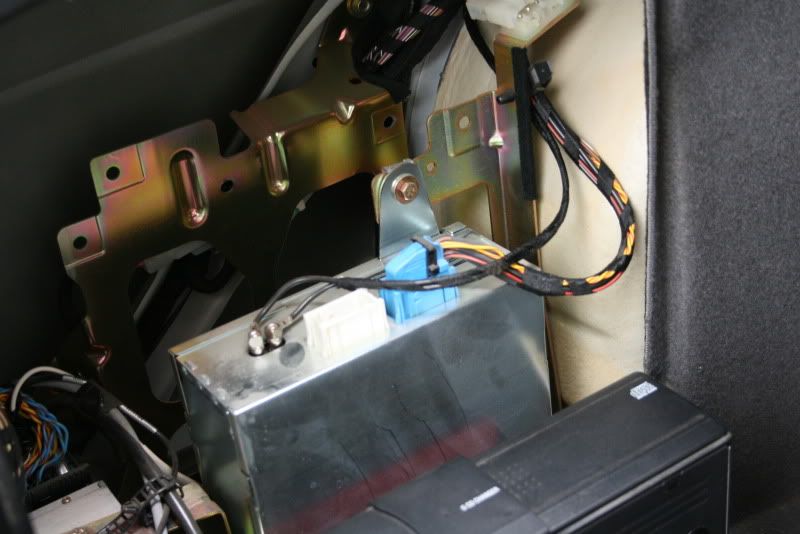
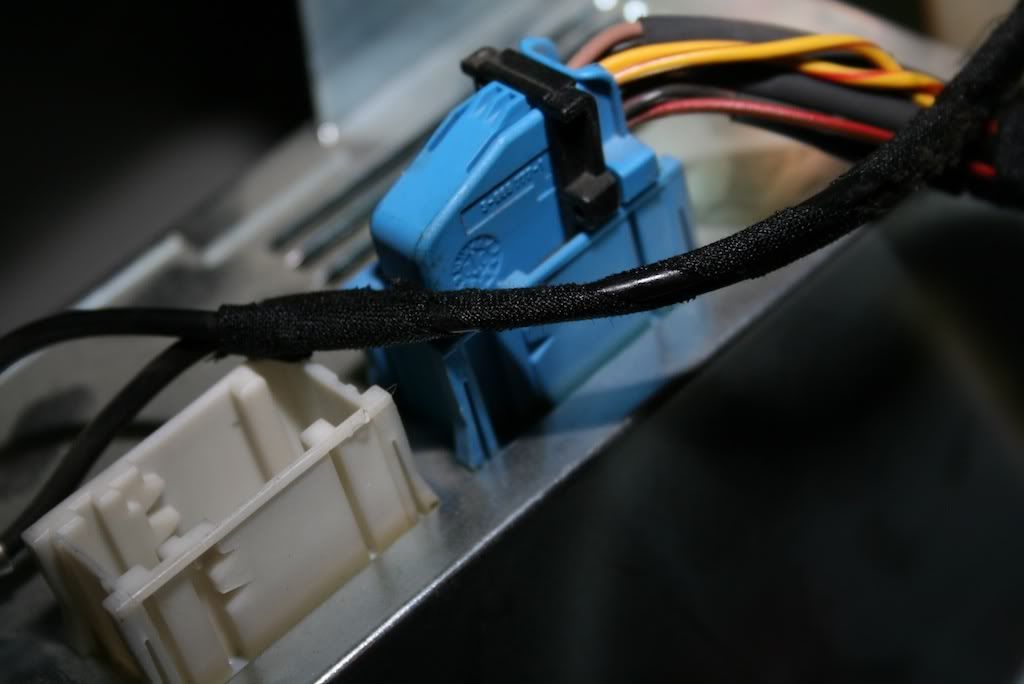
Also there seems to be an empty white plug on the top of the tv tuner, whats that for?

Where do i get the 26 pin purple plug from and what does it plug from- into?

I think i have the 12v plug in the back of the car already ( the random plug that has not been used )

Where does the audio out come from, like the front screen or the radio module?

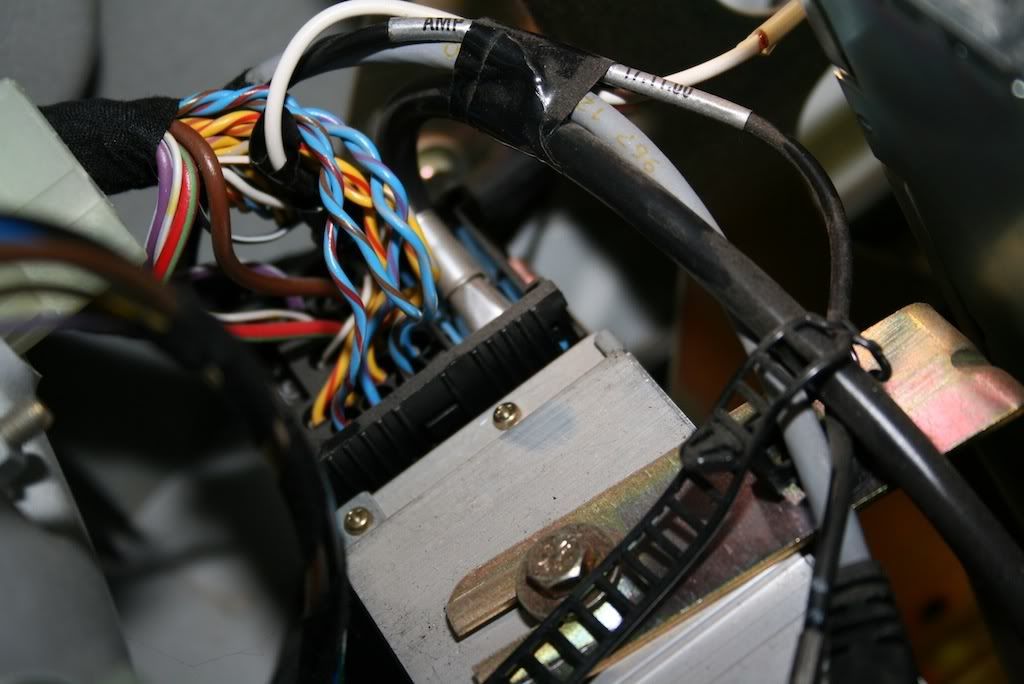
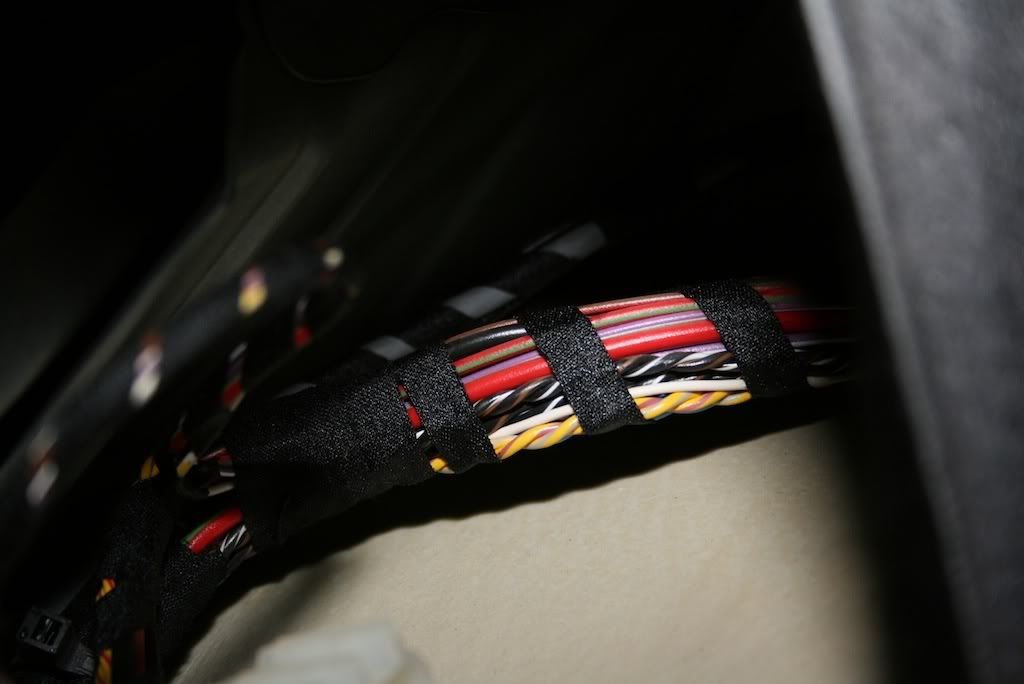
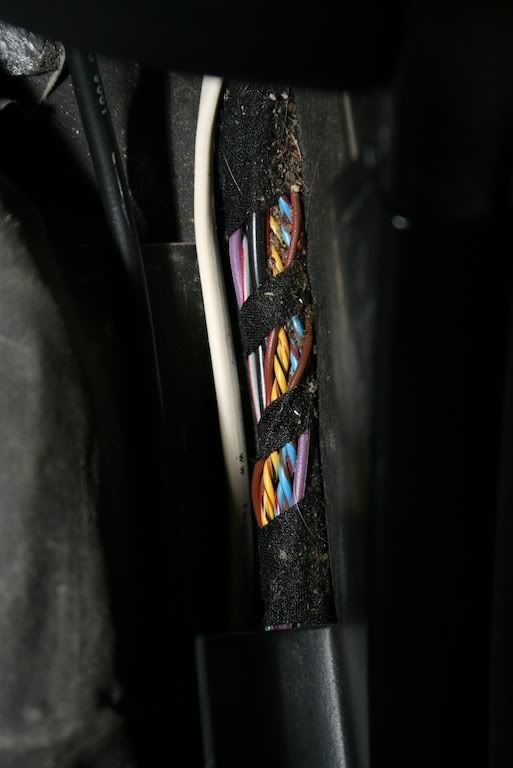
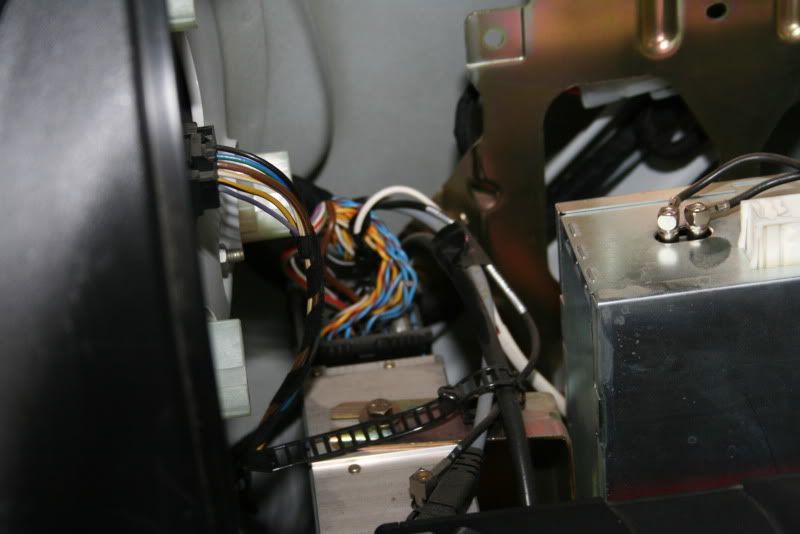
I just took the back seat off to see if i could see anymore cables, heres some pics from what i found.

Not to sure if these are of any use, but will post them anyway.


__________________
2007 E70 X5 3.0D Black/Beige - SOLD
2012 E70 X5 40D Silver/Black
Reply With Quote
  #4  
Old 12-17-2009, 06:40 AM
ccfj1's Avatar
Member
 
Join Date: Sep 2006
Location: The UK.
Posts: 1,934
ccfj1 is on a distinguished road
Quote:
Originally Posted by willy_manily View Post
Is there a way i could tap into the sound through the Radio Tuner instead of running a new cable from the back to the front?
The sound does go from the nav/tv to the radio module (in the boot), the only thing that comes from up front is the wheel sensor wire.

BTW the front display/monitor is just a dumb screen, all the gubbins are in the boot.

Quote:
Also there seems to be an empty white plug on the top of the tv tuner, whats that for?
Audio in/out, mine has the AV AUX lead plugged in, the jump up lead has a white plug on it.

Quote:
Where do i get the 26 pin purple plug from and what does it plug from- into?
Get one of the 26 pin (I think) generic plugs and cap from the dealer, you will need to populate the wires (yourself) with +12v, nav audio out and the wheel sensor.

You will need a GPS antenna too btw.

Quote:
I think i have the 12v plug in the back of the car already ( the random plug that has not been used),
OK, you could use that as one of the inputs.

Quote:
Where does the audio out come from, like the front screen or the radio module?
Nav audio come out the nav unit and goes into the nav input on one of the small plug that plug into the bottom of the radio module.
__________________
Sept 03, M3, Silver Grey. Retro-fits: Modded Mk4 DVD Drive, OEM Bluetooth, VR Control, Rainbow Speaker Upgrade, Sony SOT Amp, HK Sub, CCFL, Intravee II, NightMode.
Reply With Quote
  #5  
Old 12-17-2009, 06:57 AM
willy_manily's Avatar
Member
 
Join Date: Nov 2006
Location: Australia
Posts: 601
willy_manily is on a distinguished road
Ok, thank you for helping me out on this, its fantastic,

Just three more questions, what does the wheel sensor cable plug into up at the front of the car?

Can i just mount the GPS antenna inside the rear compartment where all the gubbins are?

So i have to create my own purple plug using a PIN chart which will include the wheel sensor and a 12v? Do you have the PIN chart by chance?

Do you know of an online site that i can purchase the JUMP from? If i decide to get rid of the TV, i can just use the cable thats plugged into the TV tuner yes? And when im plugged straight into the MK3 it will use that as the brains of the unit... not the TV tuner that its using now?
__________________
2007 E70 X5 3.0D Black/Beige - SOLD
2012 E70 X5 40D Silver/Black
Reply With Quote
  #6  
Old 12-17-2009, 07:13 AM
ccfj1's Avatar
Member
 
Join Date: Sep 2006
Location: The UK.
Posts: 1,934
ccfj1 is on a distinguished road
Quote:
Originally Posted by willy_manily View Post
Ok, thank you for helping me out on this, its fantastic,
No problem.

Quote:
Just three more questions, what does the wheel sensor cable plug into up at the front of the car?
I think... its the white plug that plugs into the cluster and you need to tap pin 8 (black/green stripe).

Quote:
Can i just mount the GPS antenna inside the rear compartment where all the gubbins are?
yes, but it really needs to "see" the sky.

Quote:
So i have to create my own purple plug using a PIN chart which will include the wheel sensor and a 12v? Do you have the PIN chart by chance?


You need

1:= reverse signal
3: = +12v
10: = speed sensor (from pin 8 on cluster)

Quote:
Do you know of an online site that i can purchase the JUMP from?
I got mine from ebay.de (it was cheaper than the dealer).

Quote:
If i decide to get rid of the TV, i can just use the cable thats plugged into the TV tuner yes?
Yes, plug the blue into the blue, and it will see the nav and not the tv.

Quote:
And when im plugged straight into the MK3 it will use that as the brains of the unit... not the TV tuner that its using now?
Correct.
__________________
Sept 03, M3, Silver Grey. Retro-fits: Modded Mk4 DVD Drive, OEM Bluetooth, VR Control, Rainbow Speaker Upgrade, Sony SOT Amp, HK Sub, CCFL, Intravee II, NightMode.
Reply With Quote
  #7  
Old 12-17-2009, 07:57 AM
willy_manily's Avatar
Member
 
Join Date: Nov 2006
Location: Australia
Posts: 601
willy_manily is on a distinguished road
Sorry, these questions keep popping up in my head,

Could i tap the speed sensor further down the cable which is easier to get to? like the speed sensor may run down past the rear wheel? could i just make a small cut in the shielding and jack the line with another cable?

I have been looking around onlike for the jump up loom can't seem to find it anywhere including ebay

Could i do the same for the 12v just tap into another 12v cable going to the the tuner or radio module? do you know what colour the 12v would be?

Would my 2001 X5 which came with factory fitted navigation have a JUMP that i could test out on my 525i?

And whats this Reverse signal?

thanks
__________________
2007 E70 X5 3.0D Black/Beige - SOLD
2012 E70 X5 40D Silver/Black

Last edited by willy_manily; 12-17-2009 at 08:15 AM.
Reply With Quote
  #8  
Old 12-17-2009, 08:01 AM
ccfj1's Avatar
Member
 
Join Date: Sep 2006
Location: The UK.
Posts: 1,934
ccfj1 is on a distinguished road
Quote:
Originally Posted by willy_manily View Post
Sorry, these questions keep popping up in my head,

Could i tap the speed sensor further down the cable which is easier to get to? like the speed sensor may run down past the rear wheel? could i just make a small cut in the shielding and jack the line with another cable?
You could, but thats he OEM tap in point.

Quote:
Could i do the same for the 12v just tap into another 12v cable going to the the tuner or radio module? do you know what colour the 12v would be?
I would take the +12v from the rear, as for colour you would need to use a meter to find one.

Quote:
Would my 2001 X5 which came with factory fitted navigation have a JUMP that i could test out on my 525i?
No, factory nav has the TV in an incorporated loom.
Quote:
And whats this Reverse signal?

thanks
For when the car is in reverse, so that the nav "knows" you are going backwards.
__________________
Sept 03, M3, Silver Grey. Retro-fits: Modded Mk4 DVD Drive, OEM Bluetooth, VR Control, Rainbow Speaker Upgrade, Sony SOT Amp, HK Sub, CCFL, Intravee II, NightMode.
Reply With Quote
  #9  
Old 12-17-2009, 08:36 AM
willy_manily's Avatar
Member
 
Join Date: Nov 2006
Location: Australia
Posts: 601
willy_manily is on a distinguished road
Quote:
Originally Posted by ccfj1 View Post
You could, but thats he OEM tap in point.


I would take the +12v from the rear, as for colour you would need to use a meter to find one.


No, factory nav has the TV in an incorporated loom.


For when the car is in reverse, so that the nav "knows" you are going backwards.

What colours the reverse pin and where can i find that, do you know where the sensor is located so i can tap into it rather than the front dash.

Also you say a 26 PIN purple plug... but i only see 18 pins in the pinout
__________________
2007 E70 X5 3.0D Black/Beige - SOLD
2012 E70 X5 40D Silver/Black
Reply With Quote
  #10  
Old 12-17-2009, 08:39 AM
ccfj1's Avatar
Member
 
Join Date: Sep 2006
Location: The UK.
Posts: 1,934
ccfj1 is on a distinguished road
Quote:
Originally Posted by willy_manily View Post
What colours the reverse pin and where can i find that,
Tap the reverse light switch (gear knob).

Quote:
do you know where the sensor is located so i can tap into it rather than the front dash.
No, sorry.

Quote:
Also you say a 26 PIN purple plug... but i only see 18 pins in the pinout
My mistake, 18pin plug and cap.
__________________
Sept 03, M3, Silver Grey. Retro-fits: Modded Mk4 DVD Drive, OEM Bluetooth, VR Control, Rainbow Speaker Upgrade, Sony SOT Amp, HK Sub, CCFL, Intravee II, NightMode.
Reply With Quote
Reply

Bookmarks


Posting Rules
You may not post new threads
You may not post replies
You may not post attachments
You may not edit your posts

BB code is On
Smilies are On
[IMG] code is On
HTML code is Off
Trackbacks are On
Pingbacks are On
Refbacks are On


All times are GMT -4. The time now is 07:51 AM.
vBulletin, Copyright 2026, Jelsoft Enterprises Ltd. SEO by vBSEO 3.6.0
© 2017 Xoutpost.com. All rights reserved. Xoutpost.com is a private enthusiast site not associated with BMW AG.
The BMW name, marks, M stripe logo, and Roundel logo as well as X3, X5 and X6 designations used in the pages of this Web Site are the property of BMW AG.
This web site is not sponsored or affiliated in any way with BMW AG or any of its subsidiaries.