Home Forums Articles How To's FAQ Register
Go Back   Xoutpost.com > Electronics > Navigation System
Arnott
User Name
Password
Member List Premier Membership Today's Posts New Posts

Xoutpost server transfer and maintenance is occurring....
Xoutpost is currently undergoing a planned server migration.... stay tuned for new developments.... sincerely, the management


Reply
 
LinkBack Thread Tools Display Modes
  #1  
Old 07-15-2010, 12:28 AM
hambone1983's Avatar
Member
 
Join Date: Jan 2010
Location: Frigid East Coast MA
Posts: 175
hambone1983 is on a distinguished road
auto dimming on nav screen

I know this has been answered someplace but does the nav screen auto dim at all? Makes no sense if it doesnt while there is a sensor in the middle.

i have the v32 update on my MKIV nav.
thanks for any input.
Reply With Quote

Sponsored Links

  #2  
Old 07-15-2010, 03:01 AM
Member
 
Join Date: Jul 2010
Location: Norway
Posts: 24
Alpejohn is on a distinguished road
Quote:
Originally Posted by hambone1983 View Post
I know this has been answered someplace but does the nav screen auto dim at all? Makes no sense if it doesnt while there is a sensor in the middle.

i have the v32 update on my MKIV nav.
thanks for any input.
Hello,

Im wondering that to, my screen does not dim... I have to turn down the brightnes manualy every evening and thats very anoying!!

Fredrik
Reply With Quote
  #3  
Old 07-15-2010, 03:43 AM
ccfj1's Avatar
Member
 
Join Date: Sep 2006
Location: The UK.
Posts: 1,934
ccfj1 is on a distinguished road
Dimmer is set via the LCM and nav screen sensors, both must detect that the ambient light level has dropped, if its not working then one of the sensors has packed up, I test mine once a month (I don't do a lot of night driving).

To test put your thumbs over the sensors on the nav display and LCM, wait 20 seconds and release both at the same time, the screen should detect the change and go bright (as it had slowly dimmed).

Don't forget that even with it on max dimm, the screen is still bright at night, have a look at nightmode, it was designed with this in mind and does reduce the amount of glare at night.
__________________
Sept 03, M3, Silver Grey. Retro-fits: Modded Mk4 DVD Drive, OEM Bluetooth, VR Control, Rainbow Speaker Upgrade, Sony SOT Amp, HK Sub, CCFL, Intravee II, NightMode.
Reply With Quote
  #4  
Old 07-15-2010, 04:32 AM
Member
 
Join Date: Jul 2010
Location: Norway
Posts: 24
Alpejohn is on a distinguished road
Quote:
Originally Posted by ccfj1 View Post
Dimmer is set via the LCM and nav screen sensors, both must detect that the ambient light level has dropped, if its not working then one of the sensors has packed up, I test mine once a month (I don't do a lot of night driving).

To test put your thumbs over the sensors on the nav display and LCM, wait 20 seconds and release both at the same time, the screen should detect the change and go bright (as it had slowly dimmed).

Don't forget that even with it on max dimm, the screen is still bright at night, have a look at nightmode, it was designed with this in mind and does reduce the amount of glare at night.
Wit the LCM, you mean the sensor in the instrument cluster? to the left?


About the night mode, how do i change between night and day?

I was planing to test one of the tweeked FW that i found in a sticky.
Reply With Quote
  #5  
Old 07-15-2010, 05:48 AM
ccfj1's Avatar
Member
 
Join Date: Sep 2006
Location: The UK.
Posts: 1,934
ccfj1 is on a distinguished road
Quote:
Originally Posted by Alpejohn View Post
Wit the LCM, you mean the sensor in the instrument cluster? to the left?
LCM (light control module), the light switch also has a small sensor on it, I don't know what your car is so can't comment on its location.

Quote:
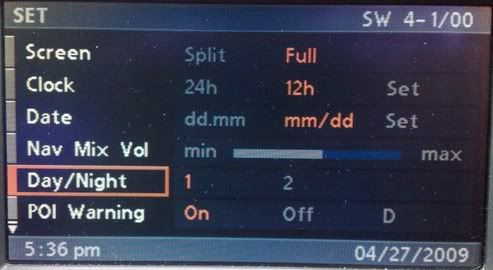
About the night mode, how do i change between night and day?
Select in Set menu

Day


Night


Quote:
I was planing to test one of the tweeked FW that i found in a sticky.
If you wait a small while there will be a new one out soon.

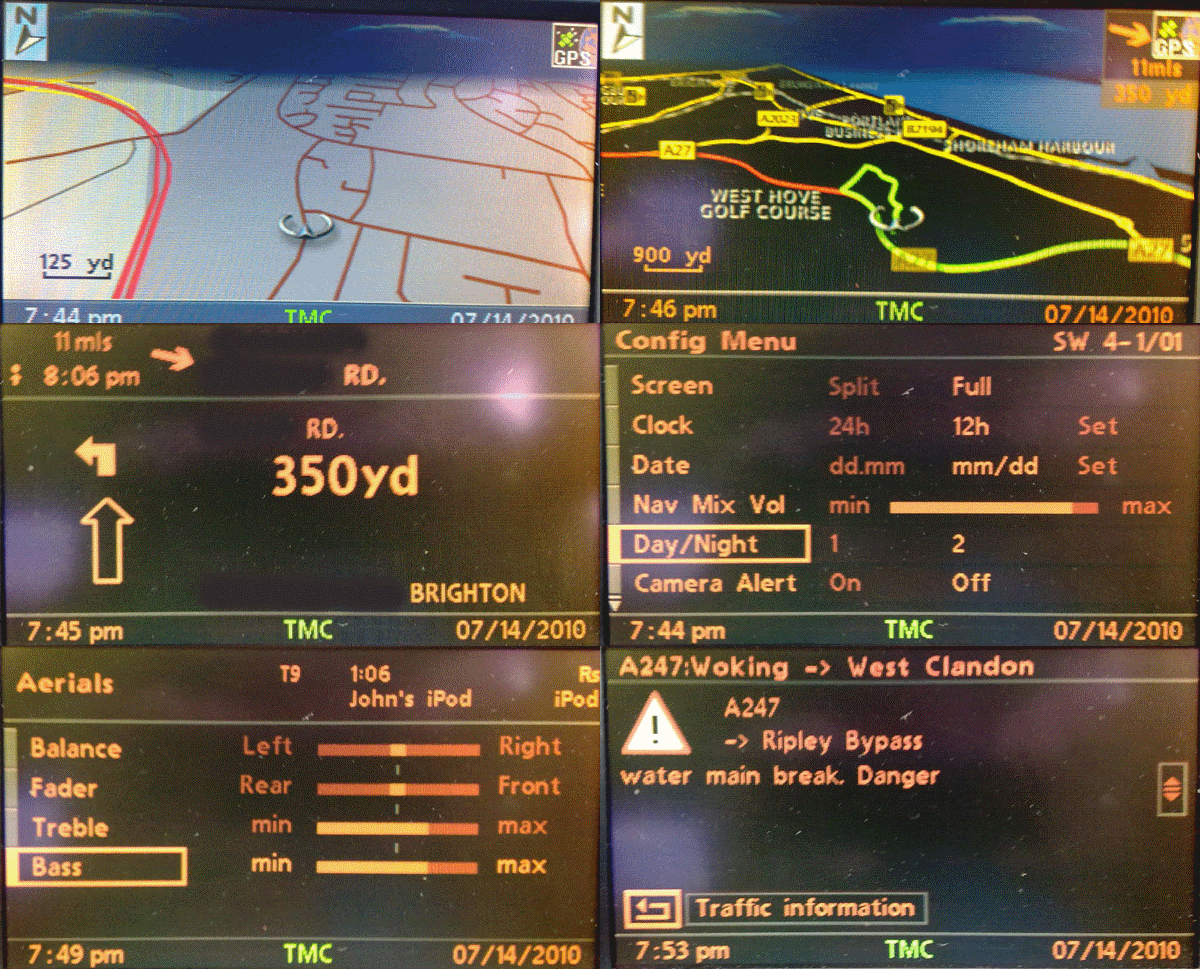
Teaser:
__________________
Sept 03, M3, Silver Grey. Retro-fits: Modded Mk4 DVD Drive, OEM Bluetooth, VR Control, Rainbow Speaker Upgrade, Sony SOT Amp, HK Sub, CCFL, Intravee II, NightMode.
Reply With Quote
  #6  
Old 07-15-2010, 06:16 AM
Member
 
Join Date: Jul 2010
Location: Bristol
Posts: 29
tonybear is on a distinguished road
a new firmware version? any ideas when and what it will include ccfj?
i like new toys!
Reply With Quote
  #7  
Old 07-15-2010, 06:25 AM
ccfj1's Avatar
Member
 
Join Date: Sep 2006
Location: The UK.
Posts: 1,934
ccfj1 is on a distinguished road
New:

Darker no-haze sky,
Amber 2nd (nightmode) scheme,
New smoother less robotic voices.
Modded menu text values.

Carried over from last version:

Poison hack (for alerts)
Alert on/off (UK only)
Modded menu text
M logo Splash
Modded Camera icon (yellow)
__________________
Sept 03, M3, Silver Grey. Retro-fits: Modded Mk4 DVD Drive, OEM Bluetooth, VR Control, Rainbow Speaker Upgrade, Sony SOT Amp, HK Sub, CCFL, Intravee II, NightMode.
Reply With Quote
  #8  
Old 07-15-2010, 07:13 AM
Member
 
Join Date: Jul 2010
Location: Norway
Posts: 24
Alpejohn is on a distinguished road
Quote:
Originally Posted by ccfj1 View Post
New:

Darker no-haze sky,
Amber 2nd (nightmode) scheme,
New smoother less robotic voices.
Modded menu text values.

Carried over from last version:

Poison hack (for alerts)
Alert on/off (UK only)
Modded menu text
M logo Splash
Modded Camera icon (yellow)

Where will this be avalweble for download?
Reply With Quote
  #9  
Old 07-15-2010, 07:49 AM
ccfj1's Avatar
Member
 
Join Date: Sep 2006
Location: The UK.
Posts: 1,934
ccfj1 is on a distinguished road
Early next week I would guess.
__________________
Sept 03, M3, Silver Grey. Retro-fits: Modded Mk4 DVD Drive, OEM Bluetooth, VR Control, Rainbow Speaker Upgrade, Sony SOT Amp, HK Sub, CCFL, Intravee II, NightMode.
Reply With Quote
  #10  
Old 07-15-2010, 08:39 AM
Member
 
Join Date: Jul 2010
Location: Norway
Posts: 24
Alpejohn is on a distinguished road
Quote:
Originally Posted by ccfj1 View Post
Early next week I would guess.
Will it come in the Night mode now avaleble sticky?

Can i try the number 1 there on my mk4 and then update to the new verson later? Called V31?
Reply With Quote
Reply

Bookmarks


Posting Rules
You may not post new threads
You may not post replies
You may not post attachments
You may not edit your posts

BB code is On
Smilies are On
[IMG] code is On
HTML code is Off
Trackbacks are On
Pingbacks are On
Refbacks are On


All times are GMT -4. The time now is 11:34 PM.
vBulletin, Copyright 2026, Jelsoft Enterprises Ltd. SEO by vBSEO 3.6.0
© 2017 Xoutpost.com. All rights reserved. Xoutpost.com is a private enthusiast site not associated with BMW AG.
The BMW name, marks, M stripe logo, and Roundel logo as well as X3, X5 and X6 designations used in the pages of this Web Site are the property of BMW AG.
This web site is not sponsored or affiliated in any way with BMW AG or any of its subsidiaries.