
|
|
|
|
||||||||||
| Xoutpost server transfer and maintenance is occurring.... |
| Xoutpost is currently undergoing a planned server migration.... stay tuned for new developments.... sincerely, the management |
 |
|
|
LinkBack | Thread Tools | Display Modes |
|
#21
 04-21-2020, 05:55 AM
|
||||
|
||||
|
Quote:

__________________
Digital Competition Systems The older I get... The faster I was... No Fear 

|
| Sponsored Links | |
|
|
|
|
#22
04-21-2020, 01:01 PM
|
|||
|
|||
|
Thanks for all the responses guys!
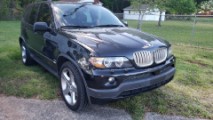
I have no idea what happened, after being demotivated last night I went to my car this morning to start over and all of a sudden it booted up without issues. Works amazingly well and it does look quite a bit more modern now. Only downside, getting that long cable into the trunk was a bit of a pain, but totally worth it. Now onto other quarantine fixes 
__________________
03.06 BMW X5 4.8is LeMans Blue
|
|
#23
04-21-2020, 03:11 PM
|
||||
|
||||
|
Quote:
__________________
 -Paul 2003 "M5" - Full M5 conversion, GC Coilovers, Eibach ARBs, UUC Evo3/DSSR, Borla Exhaust w/Muffler Delete, BMW NBT, Bi-Xenons, APEX PS-7s, e60 Hubs 2004 X5 4.8is - Stock for now 2005 Range Rover (M62TU Powered) - M62TUB46 swap
|
|
#24
04-21-2020, 04:38 PM
|
||||
|
||||
|
So much I don't know about the DSP with aftermarket interface and what messages should be sent down the I-bus to keep the DSP system happy. It has been one of those debates that has gone on for years and we still don't have a solid answer. Early upgrades were DSP amp rewiring or leaving certain modules tucked away to have activity on the Ibus.
One tried and true solution in the last couple of years for just sending the Ibus messages has been the I-bus adapter and I-bus app running on an Android OS. As far as I know, this has always worked on the Avin/Seicane/Eonon etc Android based infotainment center. Regardless of the DSP deature, the ability to reset all mpg and mph averages, trip meters, set time, etc. makes it almost a necessity for the E53 upgrades.
__________________
Digital Competition Systems The older I get... The faster I was... No Fear
|
|
#25
05-20-2020, 10:26 AM
|
|||
|
|||
|
Sorry to rehash an older thread of mine, but I recently just ordered a backup camera to go along with my new stereo (stupid me for not doing it right away). I am, despite searching online for a bit, unsure how to get it connected. I am clear about the video cable, that should connect directly at the stereo up front, but where is the recommended place to connect the power cable?
Edit: As a clarification, I am talking about the cable on the bottom right. The video cable also has a red cable coming out of it on each end, is this meant to be used for the power? 
__________________
03.06 BMW X5 4.8is LeMans Blue Last edited by Patriks7; 05-20-2020 at 10:48 AM.
|
|
#26
05-20-2020, 11:54 AM
|
||||
|
||||
|
First thing when it arrives is make sure that fits your X5 licence plate light receptacle. Many horror stories about poor fitment. Secondly will need to power that camera (with LEDS) to reverse power only as the LED lights will light up when powered up. Also remember that that camera/licence plate uses a couple of LED lights for the license plate illumination so if you still have an incandescent bulb on the left side plate light it will look odd.
The red wire running along the RCA cable can be used to run a power. I wired mine to one of the power on wires from my Avin to power my camera all the time as my system is also a front/rear dash cam recorder. I just grounded the ground to the rear panel fuse box mount.
__________________
Digital Competition Systems The older I get... The faster I was... No Fear
|
|
#27
05-20-2020, 12:35 PM
|
||||
|
||||
|
I have DSP. The Seicane unit I purchased a couple of years ago had a DSP option cable and a backup camera option. Even though their customer service was non existent, based on the experience of others, the connectivity was the determining factor to purchase the Seicane unit. I still had a few small issues that I think it was Crystalworks or maybe it was Overboost helped me with but none with DSP or the backup camera. Not pitching Seicane Just an FYI for others looking to upgrade. Customers for e53 upgrades have to be declining but other brands may offer the same option.
__________________
 X5 4.6 2002 Black Sap, Black interior. 2013 X5M Melbourne Red, Bamboo interior X5 4.6 2002 Black Sap, Black interior. 2013 X5M Melbourne Red, Bamboo interiorDallas Last edited by bcredliner; 05-20-2020 at 05:21 PM.
|
|
#28
05-20-2020, 01:29 PM
|
|||
|
|||
|
Quote:
My big issue now, I have all the cables where I need them, I just can’t figure out a way to remove the thing that holds the license plate bulb. I feel like if I pry too hard it will break, which I definitely want to avoid. My stereo has a specific cable for the reverse camera, I assume this is for the power?
__________________
03.06 BMW X5 4.8is LeMans Blue Last edited by Patriks7; 05-20-2020 at 01:36 PM.
|
|
#29
05-20-2020, 01:42 PM
|
||||
|
||||
|
Quote:
__________________
Digital Competition Systems The older I get... The faster I was... No Fear
|
|
#30
05-20-2020, 01:52 PM
|
|||
|
|||
|
Quote:
These are all the connectors I have. The camera has the video and power connectors, the long 5m video cable has also a red one sticking out of it at both ends and then my stereo has the mini harness or whatever it would be called with the video in cable and a cable labeled reverse (didn’t get a response from XTRONS regarding this). Also, attached a photo of the part I am struggling with. I see absolutely no way to get it out without it breaking.
__________________
03.06 BMW X5 4.8is LeMans Blue
|
|
| Bookmarks |
|
|
|
|








 Linear Mode


