
|
|
|
|
||||||||||
| Xoutpost server transfer and maintenance is occurring.... |
| Xoutpost is currently undergoing a planned server migration.... stay tuned for new developments.... sincerely, the management |
|
|
LinkBack | Thread Tools | Display Modes |
|
#1
 03-11-2009, 11:56 PM
|
||||
|
||||
|
My experience with a laptop GT1
WARNING: This thing can and will destroy your ECU if you don't know what you're doing! Don't say I didn't warn you!
Okay, there's not a lot of info. out there on those laptop based GT1s. I did some investigating and it seemed worthwhile to take a chance on it. So, I went ahead and ordered a system (w/o the laptop) along with two others from the forum - whom I won't mention because it's not my call. I just want to say that I got this specifically for the X, though it can be used for other BMWs. However, there are different software/hardware considerations based on differing software versions and what you want to do with it that its too complicated to go over every single configuration - which I don't know anyways. I'm just gonna be talking about my personal experience, good and bad, so that others interested can learn more. My purpose is NOT to sway anyone to buy anything but just to share my experience. I'll tell you what I got, what I did and why based on my needs/wants. The results will speak for themselves. What I bought, and more importantly why, below. GT1 Basics GT1 is short for Group Tester One which is BMW's proprietary vehicle diagnosis system. The GT1 is used by BMW dealers to diagnose & program BMW vehicles not just the X5. The GT1 was phased out at the end of 2008 but is still used by the dealerships currently. They have a replacement system being implemented. However, since the E53 ended in 2006 the GT1 is not obsolete for my purposes. Original BMW GT1 main unit sitting in its docking station 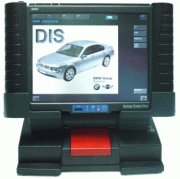 The GT1 is composed of the main unit (BMW calls it the operating unit), software and different diagnostic attachments and communications cables. I will not review all of them here. To be continued ... Laptop GT1 Basics : The laptop replaces the BMW operating unit. The laptop runs the main software called DIS and comes in differing versions. DIS v44 and below can use the DK/Scan Pro (yellow diagnostic head) to diagnose and program. I am using DIS v43 for this exact reason. I would have liked v44 but I could only get v43 at the time. *** DIS v45 and above can ONLY diagnose - no programming! *** If you have DIS v45 and above, you actually have to use another system called SSS to program. SSS can only program using a different diagnostic head called OPS/OPPS and is usually used for vehicles with the MOST bus. To be continued ... Terminology : DIS = Diagnosis and Information Sytem TIS = Technical Information System SSS = Software Service Station OPS = OPPS = MOST = Encoding = Programming = To be continued ... IBM ThinkPad T30 laptop ($195 shipped from Ebay): Apparently the original GT1 hardware specs are very similar to the IBM ThinkPad T30. That's why sellers insist using the T30. I bought mine off ebay (2 GHz, 512MB RAM, 40GB HDD, WiFi, DVD). The T30 does not officially support more than 1GB of RAM but the system WILL recognize up to 2 GB. Laptop GT1 Kit ($656 incl. shipping from www.yohotech.com): (1) - HDD (DIS v43) (2) - VMware CDs, DIS v55 and SSS 32 (1) - LAN Cable (1) - 16 Pin OBD-II Cable (square head) (1) - 20 Pin Diagnostic Cable (round head) (1) - DK/Scan Pro Diagnostic Head (yellow multiplexer) This was purchased from: www.yohotech.com, contact Jackey He at [email protected] or [email protected]. Please let him know you are from X5world. IBM ThinkPad T30  HDD with DIS v43 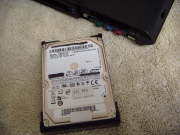 VMware CDs  LAN Cable 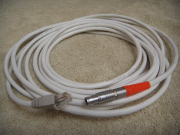 16 Pin OBD-II Cable 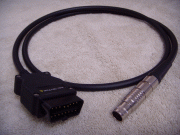 20 Pin Diagnostic Cable 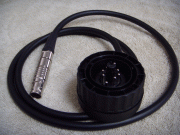 DK / Scan Pro Diagnostic Head  To be continued ... >>>>>>>> GT1 DIY List <<<<<<<< GT1 Installation & Configuration How to install/uninstall the T30 laptop HDD (future) How to install DIS v55 using VMware How to connect laptop, DK diagnostic head and OBD-II cable to each other. (future) Basic connections for Diagnostic session (future) Checklist before doing ANY encoding/programming: * Your battery should be in good condition. You might want to connect a battery charger as a precaution! Voltage should be kept at 12.6V and above. See "General Rules for Programming and Coding" below. * Quote from our resident BMW Mech (weasel56): "As for the charger with programming, it really depends. If you are just doing an "encoding" using the dis V44 then you are ok without it. If you are doing an actual programming with either dis V44 or any SSS version then it actually won't let you program unless the voltage is measured over 13 volts at the connector." DIY - Encoding: Automatic Locking After Starting Off Daytime Driving Light (DRL) Ride Level Adjustment For Dual-Axle Air Suspension Selective Central Locking (future) Armed Alarm Confirmation Signal (future) Additional Resources / Downloads : General Rules for Programming and Coding (Thanks Rondo) SIB 04 11 02 regarding Deutronic Battery Charger (Thanks X5meister) Deutronic Battery Charger Manual (Thanks Internet) BMW Diagnosis (Thanks Rondo) GT1 Components and Functions, V2.0 (Thanks Ebay) Working with the GT1, V2.0 (Thanks Ebay) Working with the GT1, V2.1 (Thanks Rondo) SSS Operating Manual, v2.0 (Thanks Ebay) OPPS/OPS Operating Manual, v2.0 (Thanks Ebay) BMW Suspensions & Alignment (Thanks katit) X5 Pre-facelift Overview & Repairs/Adjustments (Thanks katit) X5 Central Body Electronics - ZKE III (Thanks katit) X5 Central Body Electronics - ZKE III #2 (Thanks katit) Self-Level & Air Suspension (Thanks katit) X5 Two Axle Air Suspension - EHC II (Thanks katit) X5 Climate Control Systems - IHKA/IHKR (Thanks katit) X5 Dynamic Stability Control Overview (Thanks katit) X5 Dynamic Stability Control - DSC III (Thanks katit) Key Memory / Car Memory Settings (Thanks X5world) X5 Electronic Component Locations (Thanks X5world) ODB-II Codes translated: Enter SAE trouble codes like "P0172" and it will give you a description like "Fuel Trim, Bank1 System Too Rich" Last edited by TwinsPoppa; 04-08-2009 at 12:53 AM. 
|
| Bookmarks |
| Tags |
| gt1 setup |
|
|
|
|


 Threaded Mode

