Home Forums Articles How To's FAQ Register
Go Back   Xoutpost.com > BMW SAV Forums > X5 (E53) Forum
Fluid Motor Union
User Name
Password
Member List Premier Membership Today's Posts New Posts

Xoutpost server transfer and maintenance is occurring....
Xoutpost is currently undergoing a planned server migration.... stay tuned for new developments.... sincerely, the management


Reply
 
LinkBack Thread Tools Display Modes
  #1  
Old 03-28-2013, 09:29 AM
Ricky Bobby's Avatar
Member
 
Join Date: Dec 2011
Location: Wake Forest, NC
Posts: 9,344
Ricky Bobby will become famous soon enough
Quote:
Originally Posted by TwinsPoppa View Post
* DIY still in progress*
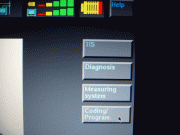
1) Main screen ---------> 2) Select: Diagnosis


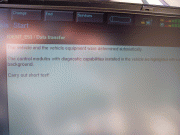
3) Select: series & model -> 4) Confirmation vehicle & modules identified


5) Highlights all modules found -> 6) Select: Short Test


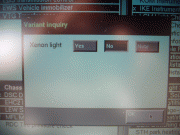
7) Answer Variants ------> 8) Short Test completed


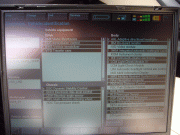
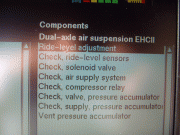
9) Select: Function Selection -> 10) Select: Service Functions, Chassis, Dual-axle air suspension EHCII


11) Select: Ride-level adjustment -> 12) Select: Test Plan


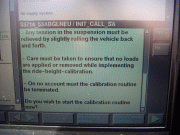
13) Displays own test plan -> 14) Prepare vehicle


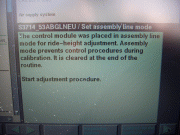
15) Start calibration: YES -> 16) Confirming Assembly Line Mode


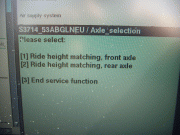
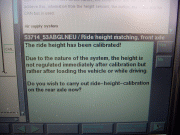
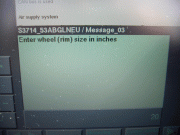
17) Select: Ride height matching, front axle -> 18) Front wheel size: 20


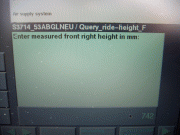
19) Ignore (don't measure) -> 20) Enter Front, Right: 742


21) Enter Front, Left: 742 -> 22) Confirm L&R values and start calibration: YES


23) Front calibration complete, calibrate rear: YES -> 24) Rear wheel size: 20


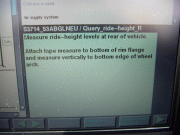
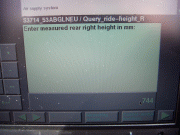
25) Ignore (don't measure) -> 26) Enter Rear, Right: 744


27) Enter Rear, Left: 744 -> 28) Confirm L&R values and start calibration: YES


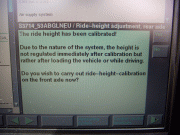
29) Rear calibration complete, calibrate front: NO -> 30) Assembly Line Mode deleted


31) Service Function ended -> 32) Select: End, Quit


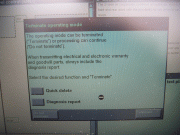
33) Terminate Operating Mode: Terminate


Ride-Level adjustment complete!

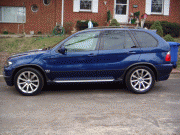
After being lowered 35mm (normally the lowest setting):


If you want to see a before pic, click on the first pic in my sig.
Twins, would this process work well for me if I wanted to lower my X say 10-15mm? I know starting values are 707 and 709 on the ride heights with 20" wheels.

Reasoning is that I know my air suspension was calibrated before I bought the car with ride heights for 18" wheels, I am going to get it recalibrated to correct ride heights and may want to drop 10mm in the process

In that case I could program 717 and 719 mm right?
__________________
2018 Ram 2500 6.7L Cummins 68RFE
19k miles -Bright White/Black - Big Horn Sport - Crew Cab Short Bed
2013 X5 35D (CEO's) - Born on 5/17/2013 -
82k miles - Alpine White/Cinnamon Brown/Premium Pkg, Sport Activity/Premium Pkg and Sound/20" Style 214/Running Boards

Reply With Quote
  #2  
Old 03-28-2013, 10:11 AM
TwinsPoppa's Avatar
Member
 
Join Date: Sep 2008
Location: Silver Spring, MD
Posts: 3,523
TwinsPoppa is on a distinguished road
Quote:
Originally Posted by Ricky Bobby View Post
Twins, would this process work well for me if I wanted to lower my X say 10-15mm? I know starting values are 707 and 709 on the ride heights with 20" wheels.

Reasoning is that I know my air suspension was calibrated before I bought the car with ride heights for 18" wheels, I am going to get it recalibrated to correct ride heights and may want to drop 10mm in the process

In that case I could program 717 and 719 mm right?
Yes, you could. If you mess up you can always do the measuring part and compensate. I should update that DIY with a note to only ignore measuring if you are positive that you have the default ride height - or else it won't be correct.

Also, with the GT1 you can accomplish the same thing more ways than one. For example, I think its in the Service Menu, you can manually adjust each corner manually. I forgot the exact distance but I think its 5mm.
Reply With Quote
  #3  
Old 03-28-2013, 10:16 AM
Ricky Bobby's Avatar
Member
 
Join Date: Dec 2011
Location: Wake Forest, NC
Posts: 9,344
Ricky Bobby will become famous soon enough
Quote:
Originally Posted by TwinsPoppa View Post
Yes, you could. If you mess up you can always do the measuring part and compensate. I should update that DIY with a note to only ignore measuring if you are positive that you have the default ride height - or else it won't be correct.

Also, with the GT1 you can accomplish the same thing more ways than one. For example, I think its in the Service Menu, you can manually adjust each corner manually. I forgot the exact distance but I think its 5mm.

And if I wanted to revert back to default setting I just program default values of 707 mm front, 709 mm rear (20" wheels sports suspension) into the same test, correct? So I can ignore measuring since I have the proper values to plug in?


Maybe its the fender flares on the 4.8is and lower bumper treatments that gives the illusion of being lower but my 3.0i with EHCII looks like it needs 10-15 mm more low, I wouldn't go as extreme as your 35mm lowering, although it looks good, just wanted a bit more for a sporty yet still functional look.
__________________
2018 Ram 2500 6.7L Cummins 68RFE
19k miles -Bright White/Black - Big Horn Sport - Crew Cab Short Bed
2013 X5 35D (CEO's) - Born on 5/17/2013 -
82k miles - Alpine White/Cinnamon Brown/Premium Pkg, Sport Activity/Premium Pkg and Sound/20" Style 214/Running Boards


Last edited by Ricky Bobby; 03-28-2013 at 10:26 AM.
Reply With Quote
  #4  
Old 03-28-2013, 10:44 AM
TwinsPoppa's Avatar
Member
 
Join Date: Sep 2008
Location: Silver Spring, MD
Posts: 3,523
TwinsPoppa is on a distinguished road
Quote:
Originally Posted by Ricky Bobby View Post
And if I wanted to revert back to default setting I just program default values of 707 mm front, 709 mm rear (20" wheels sports suspension) into the same test, correct?
Incorrect,IIRC, because it will think its already at the default ride height (707 & 709) so it should not move at all. You would need to tell it 10mm LESS (697 & 699) - then it should move it UP 10mm.

When you enter the numbers it is comparing it to the default ride height (707 & 709) then will try to correct/compensate for it.

I may have gotten this DIY wrong because it was very early on but I think that is how it works. Unfortunately, I don't have access to my GT1 to confirm right now.

So I can ignore measuring since I have the proper values to plug in?
Correct, if indeed you had the proper values to start with.

Maybe its the fender flares on the 4.8is and lower bumper treatments that gives the illusion of being lower but I feel like my 3.0i with EHCII sits slightly higher at default settings than your cars, even though I have sports suspension. Maybe because it was programmed with ride height values for 18" wheels?
Not sure on that last one. Regardless, if you mess up you can always retry as many times you want. LOL

Or if this doesn't work for you, you can try and manually adjust each corner to your liking.

I think later on I found that there was an article/DIY already on this on the forum. Let me see if I can find that and you can compare DIYs.

Last edited by TwinsPoppa; 03-28-2013 at 10:57 AM.
Reply With Quote
  #5  
Old 03-28-2013, 10:48 AM
TwinsPoppa's Avatar
Member
 
Join Date: Sep 2008
Location: Silver Spring, MD
Posts: 3,523
TwinsPoppa is on a distinguished road
Found it but its manually adjusting by measuring. This is in the Service Function.

http://www.xoutpost.com/articles/x5/...using-dis.html

Last edited by TwinsPoppa; 03-28-2013 at 10:57 AM.
Reply With Quote
  #6  
Old 03-28-2013, 11:06 AM
Ricky Bobby's Avatar
Member
 
Join Date: Dec 2011
Location: Wake Forest, NC
Posts: 9,344
Ricky Bobby will become famous soon enough
Quote:
Originally Posted by TwinsPoppa View Post
Not sure on that last one. Regardless, if you mess up you can always retry as many times you want. LOL

Or if this doesn't work for you, you can try and manually adjust each corner to your liking.

I think later on I found that there was an article/DIY already on this on the forum. Let me see if I can find that and you can compare DIYs.

Well when the module was last programmed I'm pretty sure the values were set to 18" wheels and sport suspension since I got the staggered 20s after I bought the car, here is the values that have been posted on the forum:

_______________ 17"____18"____19"____20"___these are wheel sizes
front axle_______685____697____710____722
rear axle________687____699____712____724
sport fr_________670____682____695____707
sport rr_________672____684____697____709

So looking at the chart, my current programmed values should be 682 and 684 for an 18" wheel, if I go into the calibration and select 20" wheel diameter and then plug in the correct value or 707 front and 709 rear, theoretically the ride height should not change as the 18" height value compensates for the different size wheels?

I'm just looking for the benchmark and to program the proper default height for my 20" wheels for starters.

Then as far as lowering 10mm or so, I would just add 10mm to the correct 20" sport values to give me 717 and 719 mm, or if lowering 15mm I would program 722 and 724, and if I do revert back to default setting just program 707 and 709 mm again?


NINJA EDIT: Now I understand what you mean with having the proper values to start with. If I want to start from scratch what is the operation to be sure I am starting with default values of 707 and 709 mm? Is there a separate ride height default setting that I can access?


Then once I am sure the proper values are plugged in for 20" wheels I totally understand how the system works as far as raising/lowering based on your description
__________________
2018 Ram 2500 6.7L Cummins 68RFE
19k miles -Bright White/Black - Big Horn Sport - Crew Cab Short Bed
2013 X5 35D (CEO's) - Born on 5/17/2013 -
82k miles - Alpine White/Cinnamon Brown/Premium Pkg, Sport Activity/Premium Pkg and Sound/20" Style 214/Running Boards

Reply With Quote
  #7  
Old 03-28-2013, 11:20 AM
TwinsPoppa's Avatar
Member
 
Join Date: Sep 2008
Location: Silver Spring, MD
Posts: 3,523
TwinsPoppa is on a distinguished road
I found an old post of mine. I did not fully understand what that DIY was doing. It is comparing it to a ZERO POINT (default ride height). Assuming the default ride height of a 4.8 will be different from a 4.4, you can't use the same numbers but you should be able to use the same method.

Since we don't know what your zero point is I think you should just go straight to what I'm talking about in this link and set your zero point as you like. Six of one, half a dozen of the other - same result.

It should be in the Control Module Functions
http://www.xoutpost.com/756054-post55.html
Reply With Quote
  #8  
Old 03-28-2013, 11:29 AM
Ricky Bobby's Avatar
Member
 
Join Date: Dec 2011
Location: Wake Forest, NC
Posts: 9,344
Ricky Bobby will become famous soon enough
Quote:
Originally Posted by TwinsPoppa View Post
I found an old post of mine. I did not fully understand what that DIY was doing. It is comparing it to a ZERO POINT (default ride height). Assuming the default ride height of a 4.8 will be different from a 4.4, you can't use the same numbers but you should be able to use the same method.

Since we don't know what your zero point is I think you should just go straight to what I'm talking about in this link and set your zero point as you like. Six of one, half a dozen of the other - same result.

It should be in the Control Module Functions
http://www.xoutpost.com/756054-post55.html

OK So the easiest thing is to go into control module functions, set zero point to correct ride height values for starters (707 and 709 mm), and then I can set 10 mm lower if I want to (697 and 699), 15mm lower, etc.


Basically setting the zero point in Control Module Functions you are telling me is a much easier way to program your ride height?
__________________
2018 Ram 2500 6.7L Cummins 68RFE
19k miles -Bright White/Black - Big Horn Sport - Crew Cab Short Bed
2013 X5 35D (CEO's) - Born on 5/17/2013 -
82k miles - Alpine White/Cinnamon Brown/Premium Pkg, Sport Activity/Premium Pkg and Sound/20" Style 214/Running Boards

Reply With Quote
Reply

Bookmarks

Tags
gt1 setup


Posting Rules
You may not post new threads
You may not post replies
You may not post attachments
You may not edit your posts

BB code is On
Smilies are On
[IMG] code is On
HTML code is Off
Trackbacks are On
Pingbacks are On
Refbacks are On


All times are GMT -4. The time now is 07:58 AM.
vBulletin, Copyright 2026, Jelsoft Enterprises Ltd. SEO by vBSEO 3.6.0
© 2017 Xoutpost.com. All rights reserved. Xoutpost.com is a private enthusiast site not associated with BMW AG.
The BMW name, marks, M stripe logo, and Roundel logo as well as X3, X5 and X6 designations used in the pages of this Web Site are the property of BMW AG.
This web site is not sponsored or affiliated in any way with BMW AG or any of its subsidiaries.