Home Forums Articles How To's FAQ Register
Go Back   Xoutpost.com > BMW SAV Forums > X5 (E70) Forum
Arnott
User Name
Password
Member List Premier Membership Today's Posts New Posts

Xoutpost server transfer and maintenance is occurring....
Xoutpost is currently undergoing a planned server migration.... stay tuned for new developments.... sincerely, the management


Reply
 
LinkBack Thread Tools Display Modes
  #21  
Old 05-04-2017, 06:38 PM
Member
 
Join Date: Dec 2016
Location: Chicago
Posts: 213
Stockx5 is on a distinguished road
I think that explains it probably the long roads.
Reply With Quote

Sponsored Links

  #22  
Old 05-04-2017, 07:12 PM
Member
 
Join Date: May 2010
Location: on the edge of existence
Posts: 1,384
blue dragon will become famous soon enough
I think the best I have ever seen is 28.6 mpg on the drive to our cottage averaging about 84km/hr (80 km/hr posted limit)
__________________


| '23 Tesla MY LR Wife's Daily | '22 Tesla MY P - My daily |'09 E70 X5 35D - retired| '17 F15 X5 35D - Retired | '16 F15 35D - Work Horse |
|
Reply With Quote
  #23  
Old 05-05-2017, 12:17 PM
Member
 
Join Date: Mar 2016
Location: Tricities, TN
Posts: 406
daytonatrbo is on a distinguished road
I finally discovered the source of the issue I am having with INPA. The copy I have doesn't have the DDE7.3US required to talk to our DDE. I tried updating the DATEN files, as I was under the impression that this would also update INPA. However, while I now have the right NCSexpert files, I still don't have them in INPA and the config file was not updated to show the new additions. I've run into dead ends on updating the INPA Daten, and I don't much feel like tracking down the latest INPA2010 files, so I am attempting to source Rheingold/INSTA. The INSTA/P copy I found is giving my file system fits (downloading on OSX to an external drive) I assume due to the 40gb single file. The INSTA/D files are much smaller, but lacking the config utilities to use the DCAN cable. I'm going to boot up my old gaming PC to see if I have better luck with the download on it. If needed, I may also blow the dust off my old EEEPC that I used to use just for coding.

If anyone on here has a good line on a working INPA install that has the DDE7.2 files, I'd still consider that. At least for the EEEPC.
__________________
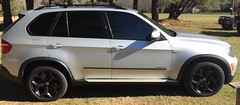

2009 xDrive35D
Comfort seats, Tech, Premium, Cold Weather, Sport w/ Adaptive Drive, Extended Nappa Leather
Deleted & Stg 2+ Tune for over 115k miles
227k on the clock
Being replaced by a 2016 X5d
Reply With Quote
  #24  
Old 05-05-2017, 12:42 PM
Member
 
Join Date: Dec 2016
Location: Chicago
Posts: 213
Stockx5 is on a distinguished road
Quote:
Originally Posted by daytonatrbo View Post
I finally discovered the source of the issue I am having with INPA. The copy I have doesn't have the DDE7.3US required to talk to our DDE. I tried updating the DATEN files, as I was under the impression that this would also update INPA. However, while I now have the right NCSexpert files, I still don't have them in INPA and the config file was not updated to show the new additions. I've run into dead ends on updating the INPA Daten, and I don't much feel like tracking down the latest INPA2010 files, so I am attempting to source Rheingold/INSTA. The INSTA/P copy I found is giving my file system fits (downloading on OSX to an external drive) I assume due to the 40gb single file. The INSTA/D files are much smaller, but lacking the config utilities to use the DCAN cable. I'm going to boot up my old gaming PC to see if I have better luck with the download on it. If needed, I may also blow the dust off my old EEEPC that I used to use just for coding.

If anyone on here has a good line on a working INPA install that has the DDE7.2 files, I'd still consider that. At least for the EEEPC.
well that explains why im having the same issue.
My version of INPA only has the option of DDE 5.0 and DDE 6.0 gives error "data transmission to interface disturbed"

tried desoldiering pins 7 and 8 as some suggest for newer cars but now it wont even connect at all where as before some modules could be read.

then I got rheingold 3.45.40 and i can't make it past the licence key entering screen. after the key is typed in the next button is still grayed out. the file size is only 25GB I am using windows 10

it does seem like everyone has moved on to rheingold so maybe triying to get inpa is fruitless persuit
Reply With Quote
  #25  
Old 05-05-2017, 12:49 PM
Member
 
Join Date: Mar 2016
Location: Tricities, TN
Posts: 406
daytonatrbo is on a distinguished road
Quote:
Originally Posted by Stockx5 View Post
well that explains why im having the same issue.
My version of INPA only has the option of DDE 5.0 and DDE 6.0 gives error "data transmission to interface disturbed"

tried desoldiering pins 7 and 8 as some suggest for newer cars but now it wont even connect at all where as before some modules could be read.

then I got rheingold 3.45.40 and i can't make it past the licence key entering screen. after the key is typed in the next button is still grayed out. the file size is only 25GB I am using windows 10

it does seem like everyone has moved on to rheingold so maybe triying to get inpa is fruitless persuit
I purchased a K+DCAN cable hoping it would work for the x5. I thought it was faulty, but it's actually working. Like you, I can access some chassis modules, but when I tried dde5 it says no response from module. If I try dde6 it gives a different error.
Some googling revealed via a 335D thread that our cars have dde7.3US, which explained it.

I'll let you know if I ever get to the point of installing ISTA.
__________________


2009 xDrive35D
Comfort seats, Tech, Premium, Cold Weather, Sport w/ Adaptive Drive, Extended Nappa Leather
Deleted & Stg 2+ Tune for over 115k miles
227k on the clock
Being replaced by a 2016 X5d
Reply With Quote
  #26  
Old 05-05-2017, 03:37 PM
bawareca's Avatar
Member
 
Join Date: Nov 2010
Location: Los Angeles
Posts: 976
bawareca is on a distinguished road
Quote:
Originally Posted by Stockx5 View Post
then I got rheingold 3.45.40 and i can't make it past the licence key entering screen. after the key is typed in the next button is still grayed out.t
I think you have to press FINISH, not NEXT.
Reply With Quote
  #27  
Old 05-06-2017, 03:50 PM
Member
 
Join Date: Dec 2016
Location: Chicago
Posts: 213
Stockx5 is on a distinguished road
Quote:
Originally Posted by bawareca View Post
I think you have to press FINISH, not NEXT.
also grayed out. but not gonna spend any more time on that

got the latest version of ista from this thread comes with a lot of support on the forum
All BMWs Where to download ISTA/D Rheingold? - Bimmerfest - BMW Forums

looking at the instructions relized my old t41 laptop wont run it.

only way would be to run the k-dcan cable from the desktop in the house to the car outside about 30 feet away. or buy a more powerful laptop.
Reply With Quote
  #28  
Old 05-08-2017, 10:58 AM
Member
 
Join Date: Mar 2016
Location: Tricities, TN
Posts: 406
daytonatrbo is on a distinguished road
I think I have my ISTA install complete, but I've yet to test it.


This weekend I took the rear drivers side door panel off to check the condition of the vapor barrier. I was getting water build up between the 2 door gaskets. Sure enough the vapor barrier was loose and leaking at the bottom. I remelted the adhesive with a heat gun and jt seems much happier now. I may still pull the carpet up to make sure it didn't get more than damp.


In the process, I seem to have confirmed that I have an issue with the vehicle battery. More details on that here: https://xoutpost.com/bmw-sav-forums/...resetting.html
__________________


2009 xDrive35D
Comfort seats, Tech, Premium, Cold Weather, Sport w/ Adaptive Drive, Extended Nappa Leather
Deleted & Stg 2+ Tune for over 115k miles
227k on the clock
Being replaced by a 2016 X5d
Reply With Quote
  #29  
Old 05-08-2017, 11:00 AM
Member
 
Join Date: Mar 2016
Location: Tricities, TN
Posts: 406
daytonatrbo is on a distinguished road
Quote:
Originally Posted by blue dragon View Post
I think the best I have ever seen is 28.6 mpg on the drive to our cottage averaging about 84km/hr (80 km/hr posted limit)

I took the car for a 50 mile round trip to the nearest Walmart last night. On the way there I average over 30mpg. On the way home I was hot rodding a bit and it settled back to its typical 25.x
__________________


2009 xDrive35D
Comfort seats, Tech, Premium, Cold Weather, Sport w/ Adaptive Drive, Extended Nappa Leather
Deleted & Stg 2+ Tune for over 115k miles
227k on the clock
Being replaced by a 2016 X5d
Reply With Quote
  #30  
Old 05-10-2017, 08:52 PM
Member
 
Join Date: Mar 2016
Location: Tricities, TN
Posts: 406
daytonatrbo is on a distinguished road
Another member PM'd me about my experience replacing the Glow Plug Module. As a result, I thought it would be helpful to go into more detail here.

Quote:
Originally Posted by me

If you haven't already, double check that your thermostat is functioning correctly, as glow plug issues seem to snowball when the engine isn't reaching temp.


As far as the actual job of changing the module, its a bit of a PITA. I think it would have been quite a bit easier if I had remove the coolant pipe that comes off of the side of the block under the intake manifold. Its not strictly necessary, but it likely would have made life easier.


You absolutely have to remove the intake manifold. I reviewed the how-to here: https://xoutpost.com/bmw-sav-forums/...-m57-pics.html


HOWEVER, I did not find that unplugging the swirl flap electrical connection was easier after the manifold was loose. Maybe with a helper it would work, but I found it difficult to balance the manifold in one hand and try to remove the plug with the other. I put the manifold back loosely on the head and found that I could unplug the connector with relative ease.

Once the manifold was out of the way (good chance to inspect it) I basically just unclipped some of the various vacuum, coolant and SCR hoses around the module just to make some more room. I removed the 2 nuts and took the module loose. I had a very hard time unplugging the larger connector, but I think that was because the the clips are barbed and I had too much tension on the connector. I eventually got it loose by prying with a screw driver and squeezing for all I was worth. The round connector came much easier.

Basically then you just work the module out from its little prison towards the back of the motor.

Snake the new module back in and bolt it down before plugging in the two connectors.


From there, assembly is the reverse of removal. Just make sure that the various electrical connectors for the manifold sensors are where they will be accessible once the manifold is dropped in place.


If you aren't sure when they were changed last, order both sets of manifold gaskets for re-assembly. I plan to take my manifold back off before long to replace them as they were not as nice as I hoped.
__________________


2009 xDrive35D
Comfort seats, Tech, Premium, Cold Weather, Sport w/ Adaptive Drive, Extended Nappa Leather
Deleted & Stg 2+ Tune for over 115k miles
227k on the clock
Being replaced by a 2016 X5d

Last edited by daytonatrbo; 05-10-2017 at 08:58 PM. Reason: Precision of language.
Reply With Quote
Reply

Bookmarks


Posting Rules
You may not post new threads
You may not post replies
You may not post attachments
You may not edit your posts

BB code is On
Smilies are On
[IMG] code is On
HTML code is Off
Trackbacks are On
Pingbacks are On
Refbacks are On


All times are GMT -4. The time now is 03:14 PM.
vBulletin, Copyright 2026, Jelsoft Enterprises Ltd. SEO by vBSEO 3.6.0
© 2017 Xoutpost.com. All rights reserved. Xoutpost.com is a private enthusiast site not associated with BMW AG.
The BMW name, marks, M stripe logo, and Roundel logo as well as X3, X5 and X6 designations used in the pages of this Web Site are the property of BMW AG.
This web site is not sponsored or affiliated in any way with BMW AG or any of its subsidiaries.