
|
|
|
|
||||||||||
| Xoutpost server transfer and maintenance is occurring.... |
| Xoutpost is currently undergoing a planned server migration.... stay tuned for new developments.... sincerely, the management |
 |
|
|
LinkBack | Thread Tools | Display Modes |
|
#12
 10-18-2006, 04:30 PM
|
||||
|
||||
|
Lovin' that perspective background
 Very nice work. Very nice work.

|
|
#13
10-18-2006, 04:56 PM
|
|||
|
|||
|
I discovered a bug...
When you've selected the British voice, your Points of Interest listings (Restaurants, Hotels, etc) are in French. The points of interest category names are no longer part of the firmware (as of v24 or v25, whenever "Destinations+" became the only POI database), so the French categories are being read from the map DVD. I'm not sure how to fix this and don't know if it can be fixed without some serious hacking.... the language variable is stored in the nav firmware and being passed on to the dvd somehow...
|
|
#14
10-18-2006, 05:15 PM
|
|||
|
|||
|
|
|
#15
10-18-2006, 05:24 PM
|
|||
|
|||
|
Hi Kris,
Excellent work! Kudos to you for figuring the text string stuff out. BTW, there's a known hack already available where you simply exchange all of the voice related files in the disc image with the language versions you are interested in (which is much easier than trying to manually replace/update all the text strings using NavTweak). This way when you select the French language option, for example, all of the voice and text switches to whatever language you've replaced all of the French files with on the disc. For example, if you take all of the French language files on the disc and replace them with the GB equivalents (renaming them back with their original French file names of course), the nav computer simply thinks it's in French mode, when in actuality it's really in GB mode. Doing that together with your new hack to change the button text (from F to GB or whatever) will work great. Us MINI folks have been doing this hack for a long while now with great success (as we like our British built cars speaking GB English instead of American English). I hope this helps some.
|
|
#16
10-18-2006, 05:35 PM
|
|||
|
|||
|
Hm.
All I did was swap the filenames of the french and british voice files...There's several sets, and I may have just missed one or two. That may be the issue that's causing my bug. ...then in NavTweak, I just export the lng_american, use a hex editor to change the header in the file to lng_francais (so that navtweak would allow me to replace the existing lng_francais with it), correct the CRC, then replace lng_francais...
|
|
#17
10-18-2006, 05:36 PM
|
|||
|
|||
|
I also need to perform the hack that makes the nav computer think it's a newer version so people don't have to downgrade then re-upgrade if they're already running v28.
Perhaps a KrisL-v28-version 2 is in the works  ... ...
|
|
#18
10-18-2006, 05:45 PM
|
||||
|
||||
|
A great effort KrisL and I hope it shuts up the arrogant twit here in the UK "[email protected]" who for some strange reason often feels then need to be somewhat "out spoken" to others here on what is by far the best information website relating to BMW on the net! And good for you for not taking the bait! A quick question? If you have changed the French language to GB how has that affected the display under the rev counter etc? Are these in english or are they in french??? Thanks,
Andy.
__________________
Range Rover 4.4i V8 Vogue on Gas! BMW Mk4 Dvd Nav, BMW Bluetooth, Aux Input, Digital Hybrid Tv Tuner, Dvd Changer & Headrest Screens 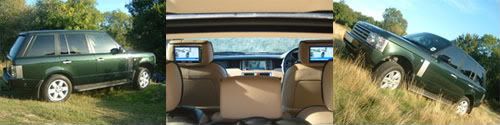
|
|
#19
10-18-2006, 05:57 PM
|
|||
|
|||
|
Quote:
I don't have a display under the rev counter on my E46 . I don't know where it pulls its language information from.
|
|
#20
10-18-2006, 06:01 PM
|
||||
|
||||
|
Hey no problem! Since starting to type my message I was seriously distracted and during my absence you posted details regarding the text in french which is what I thought happened! Great work though!
Andy.
__________________
Range Rover 4.4i V8 Vogue on Gas! BMW Mk4 Dvd Nav, BMW Bluetooth, Aux Input, Digital Hybrid Tv Tuner, Dvd Changer & Headrest Screens
|
|
| Bookmarks |
|
|
|
|





 Linear Mode


