
|
|
|
|
||||||||||
| Xoutpost server transfer and maintenance is occurring.... |
| Xoutpost is currently undergoing a planned server migration.... stay tuned for new developments.... sincerely, the management |
 |
|
|
LinkBack | Thread Tools | Display Modes |
|
#1
 06-24-2006, 07:56 PM
|
|||
|
|||
|
Wireless Router
I was all set to but the LINKSYS WRT54G, but heard bad things about version 5? Extra range would be nice but don’t want to pay a lot probably something in the range of $50 to $100. I know that some of the members have real experience in the computer field and I would appreciate some suggestions. 
|
| Sponsored Links | |
|
|
|
|
#2
06-24-2006, 08:07 PM
|
|||
|
|||
|
Product Compare
 Remove Remove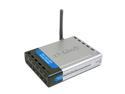 Remove Remove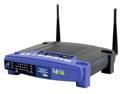 Remove Remove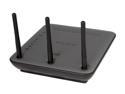 Product ProductD-Link DI-524 IEEE 802.3/3u, IEEE 802.11b/g Wireless Router - Retail
LINKSYS WRT54G IEEE 802.3, IEEE 802.11b/g Wireless-G Broadband Router - Retail
BELKIN F5D8230-4 IEEE 802.3/3u, IEEE 802.11b/g Wireless Router - Retail
 ** This item is warranted through the product manufacturer only. ** This item is warranted through the product manufacturer only. ShippingFree Three Day Shipping Free Three Day Shipping Free Three Day Shipping Rating ** This item is warranted through the product manufacturer only. ** This item is warranted through the product manufacturer only. ShippingFree Three Day Shipping Free Three Day Shipping Free Three Day Shipping Rating  [504 reviews] [462 reviews] [87 reviews] In StockYesYesYesItem#N82E16833127143N82E16833124010N 82E16833314014Model#DI-524WRT54GF5D8230-4BrandD-Link LINKSYS BELKIN StandardsIEEE 802.3/3u, IEEE 802.11b/g IEEE 802.3, IEEE 802.11b/g IEEE 802.3/3u, IEEE 802.11b/g Device ManagementWeb-based Internet Explorer v6 or later; Netscape Navigator v6 or later; pr other Java-enabled browsers - DHCP Server and Client Web-Based Web-Based Security- 802.1x, 64-, 128-WEP, WPA — Wi-Fi Protected Access (WEP with TKIP, MIC, IV Expansion, Shared Key Authentication) - NAT with VPN Pass-through (Network Address Translation) - MAC Filtering - IP Filtering - URL Filtering - Domain Blocking - Scheduling Enhanced Internet Security Management Functions: Internet Access Policies with Time Schedules, Website Blocking, IP and MAC Address Filtering; Port Filtering; Wireless MAC Address Filtering; Stateful Packet Inspection (SPI) Firewall; and NAT Technology Wireless Security with up to 128-bit WEP Encryption Wi-Fi Protected Access(WPA) 128 bit WEB; WPA-PSK; NAT IP Address Sharing; SPI Firewall WPA/WPA2WPA WPA WPA Ports1x10/100M WAN; 4x10/100M LAN 1x10/100M WAN; 4x10/100M LAN 1x10/100M WAN; 4x10/100M LAN LEDsPower Status WAN WLAN (Wireless Connection) LAN (10/100) Power, DMZ, Diag WLAN: Act, Link LAN: Link/Act, Full/Col, 100M Data Ratesup to 54Mbps up to 54Mbps up to 108Mbps ModulationOFDM, CCK, QPSK, BPSK CCK, DBPSK, DQPSK, OFDM Frequency Band2.4GHz - 2.462GHz AntennaSingle detachable reverse SMA external antenna Dipole Antenna External Antenna Transmitted Power15dBm ± 2dBm 15dBm Receiver Sensitivity54Mbps OFDM, 10% PER,-68dBm) 48Mbps OFDM, 10% PER,-68dBm) 36Mbps OFDM, 10% PER,-75dBm) 24Mbps OFDM, 10% PER,-79dBm) 18Mbps OFDM, 10% PER,-82dBm) 12Mbps OFDM, 10% PER,-84dBm) 11Mbps CCK, 8% PER,-82dBm) 9Mbps OFDM, 10% PER,-87dBm) 6Mbps OFDM, 10% PER,-88dBm) 5.5Mbps CCK, 8% PER,-85dBm) 2Mbps QPSK, 8% PER,-86dBm) 1Mbps BPSK, 8% PER,-89dBm) VPN supportIPSec, L2TP, and PPTP VPN pass-through IPSec and PPTP Pass VPN Pass Through Wireless Adapter includedNo No No Dimensions5.6" x 4.3" x 1.2" 7.32" x 6.89" x 1.89" Weight7.8 oz 17 oz Temperature0 to 55°C Humidity95% maximum (Non-Condensing) 10% to 85%, Non-Condensing Features- Up to 54Mbps - Advanced Firewall & Parental Control - Quick and Easy Setup - 802.11g Standard, 802.11b Compatible Compatibility with Draft 802.11g and 802.11b (2.4GHz) Standards Setup Wizard for Easy Installation Access Your Corporate Network Remotely through Virtual Private Networking (VPN)—Supports IPSec and PPTP Pass- Through Supports Dynamic Domain Name System (DDNS) Service, Static and Dynamic Routing (RIP1 and 2), DMZ Hosting Web-based Utility for Easy Configuration from Any Web Browser DHCP Server Capability to Assign IP Addresses Automatically All Ethernet Ports Support Auto-Crossover (MDI/MDI-X)—No Need for Crossover Cables - Web-Based Advanced User Interface; - NAT IP Address Sharing; - SPI Firewall; - Integrated 10/100 4Port Switch; - Universal Plug and Play (UPnP); - Support for VPN Pass-Through; - Built-In Dynamic Host Configuration Protocol (DHCP); - Easy Install Wizard; - Integrated Pre-N Wireless Access Point; Integrated Parental Control Web Content Filter; - MAC Address Filtering Manufacturer Warranty3-Year Network Protocols TCP/IP, IPX/SPX, NetBEUI System Requirements - A PC running Windows 98SE, Me, 2000, or XP, or a Mac computer running Mac OS 9.x or OS X - Minimum 64MB RAM - Internet browser [504 reviews] [462 reviews] [87 reviews] In StockYesYesYesItem#N82E16833127143N82E16833124010N 82E16833314014Model#DI-524WRT54GF5D8230-4BrandD-Link LINKSYS BELKIN StandardsIEEE 802.3/3u, IEEE 802.11b/g IEEE 802.3, IEEE 802.11b/g IEEE 802.3/3u, IEEE 802.11b/g Device ManagementWeb-based Internet Explorer v6 or later; Netscape Navigator v6 or later; pr other Java-enabled browsers - DHCP Server and Client Web-Based Web-Based Security- 802.1x, 64-, 128-WEP, WPA — Wi-Fi Protected Access (WEP with TKIP, MIC, IV Expansion, Shared Key Authentication) - NAT with VPN Pass-through (Network Address Translation) - MAC Filtering - IP Filtering - URL Filtering - Domain Blocking - Scheduling Enhanced Internet Security Management Functions: Internet Access Policies with Time Schedules, Website Blocking, IP and MAC Address Filtering; Port Filtering; Wireless MAC Address Filtering; Stateful Packet Inspection (SPI) Firewall; and NAT Technology Wireless Security with up to 128-bit WEP Encryption Wi-Fi Protected Access(WPA) 128 bit WEB; WPA-PSK; NAT IP Address Sharing; SPI Firewall WPA/WPA2WPA WPA WPA Ports1x10/100M WAN; 4x10/100M LAN 1x10/100M WAN; 4x10/100M LAN 1x10/100M WAN; 4x10/100M LAN LEDsPower Status WAN WLAN (Wireless Connection) LAN (10/100) Power, DMZ, Diag WLAN: Act, Link LAN: Link/Act, Full/Col, 100M Data Ratesup to 54Mbps up to 54Mbps up to 108Mbps ModulationOFDM, CCK, QPSK, BPSK CCK, DBPSK, DQPSK, OFDM Frequency Band2.4GHz - 2.462GHz AntennaSingle detachable reverse SMA external antenna Dipole Antenna External Antenna Transmitted Power15dBm ± 2dBm 15dBm Receiver Sensitivity54Mbps OFDM, 10% PER,-68dBm) 48Mbps OFDM, 10% PER,-68dBm) 36Mbps OFDM, 10% PER,-75dBm) 24Mbps OFDM, 10% PER,-79dBm) 18Mbps OFDM, 10% PER,-82dBm) 12Mbps OFDM, 10% PER,-84dBm) 11Mbps CCK, 8% PER,-82dBm) 9Mbps OFDM, 10% PER,-87dBm) 6Mbps OFDM, 10% PER,-88dBm) 5.5Mbps CCK, 8% PER,-85dBm) 2Mbps QPSK, 8% PER,-86dBm) 1Mbps BPSK, 8% PER,-89dBm) VPN supportIPSec, L2TP, and PPTP VPN pass-through IPSec and PPTP Pass VPN Pass Through Wireless Adapter includedNo No No Dimensions5.6" x 4.3" x 1.2" 7.32" x 6.89" x 1.89" Weight7.8 oz 17 oz Temperature0 to 55°C Humidity95% maximum (Non-Condensing) 10% to 85%, Non-Condensing Features- Up to 54Mbps - Advanced Firewall & Parental Control - Quick and Easy Setup - 802.11g Standard, 802.11b Compatible Compatibility with Draft 802.11g and 802.11b (2.4GHz) Standards Setup Wizard for Easy Installation Access Your Corporate Network Remotely through Virtual Private Networking (VPN)—Supports IPSec and PPTP Pass- Through Supports Dynamic Domain Name System (DDNS) Service, Static and Dynamic Routing (RIP1 and 2), DMZ Hosting Web-based Utility for Easy Configuration from Any Web Browser DHCP Server Capability to Assign IP Addresses Automatically All Ethernet Ports Support Auto-Crossover (MDI/MDI-X)—No Need for Crossover Cables - Web-Based Advanced User Interface; - NAT IP Address Sharing; - SPI Firewall; - Integrated 10/100 4Port Switch; - Universal Plug and Play (UPnP); - Support for VPN Pass-Through; - Built-In Dynamic Host Configuration Protocol (DHCP); - Easy Install Wizard; - Integrated Pre-N Wireless Access Point; Integrated Parental Control Web Content Filter; - MAC Address Filtering Manufacturer Warranty3-Year Network Protocols TCP/IP, IPX/SPX, NetBEUI System Requirements - A PC running Windows 98SE, Me, 2000, or XP, or a Mac computer running Mac OS 9.x or OS X - Minimum 64MB RAM - Internet browser
|
|
#3
06-24-2006, 08:38 PM
|
||||
|
||||
|
I'm no expert but I have had no problems with a few different D-Link wireless routers. I'm currently using a DI-524 and it is great. No problems at all. I have also used a SMC router without any problems. Most guys here will recommend Linksys stuff.
I like the D-Link stuff because it has been reliable and it can be had for next to nothing. My recent DI-524 was free after rebate. I added a Hawking antenna for a little extra range. That was about $20. Don't know if it actually works but what the heck. You don't have to spend alot.
__________________

|
|
#6
06-24-2006, 10:59 PM
|
|||
|
|||
|
Linksys WRT54G is what I use and recommend. Just don't use the CD they say to run first. I've yet to see that wizard work properly and I've installed a bunch of these for customers.
Plug directly into it and go to 192.168.1.1 to set it up  Don't forget to enable wireless security and change the default SSID....
|
|
#7
06-25-2006, 01:37 AM
|
||||
|
||||
|
I have three Linksys systems up and running. You can get real people on their customer service line. When you get set up, go into the router via 192.168.1.1 and make note of all your settings. If ever you have a problem you have your notes.
__________________
2004 X5 4.4i Sterling Grey/Black Sport Prem 132s/Diamaris Rear Climate OEM Nav/Sirius RBs AngelBrights Roundel Valve Caps, 35% front tint. Sold MArch 2012
|
|
#8
06-25-2006, 03:20 AM
|
||||
|
||||
|
D-Link routers always die quicker, or people have connectivity problems from the start. I use the Linksys WRT54G router both in Bulgaria (right now) and back home in Canada.
The only reason why you may have heard that verison 5 is "bad" is because there are some people who upload third party firmware on that particular model, which gives the router functions that can only be found on $1000+ equipment. Only version 4 could accept the firmware, and now that Linksys has moved on to version 5, these "modders" have dubbed it bad. There is nothing bad about it for you and me.
__________________
2008 ML320 CDI | Iridium Silver | Black ARTICO Leather | Premium Package (H/K Logic7, Parktronic, Rear Heated Seats, Rear Power Hatch, DVD Nav, 10-way Front Seats w/ Memory) | Backup Camera | Aluminum Running Boards | 4500K MTEC Low-beam HID | 30% Metallic Tint | Boomerang2 Recovery System | Weathertech Front Floorliners | Bridgestone Blizzak DM-V1 Winter Tires
|
|
#9
06-25-2006, 06:41 AM
|
||||
|
||||
|
Quote:
__________________

|
|
#10
06-25-2006, 12:05 PM
|
|||
|
|||
|
No problems with the WRT54G
I have two Linksys WRT54GS wireless routers and they perform flawlessly. (The 'S' indicates the router has Speedbooster capability which gives it up to 35% greater throughput when your computer has a Speedbooster compatible wireless modem, otherwise it's basically the same as the WRT54G).
I had problems running the wizard from the CD (as mtndew06 mentioned) so I installed it manually.
|
|
| Bookmarks |
|
|
|
|








 Linear Mode


