
|
|
|
|
||||||||||
| Xoutpost server transfer and maintenance is occurring.... |
| Xoutpost is currently undergoing a planned server migration.... stay tuned for new developments.... sincerely, the management |
 |
|
|
LinkBack | Thread Tools | Display Modes |
|
#321
 09-11-2009, 04:26 PM
|
|||
|
|||
|
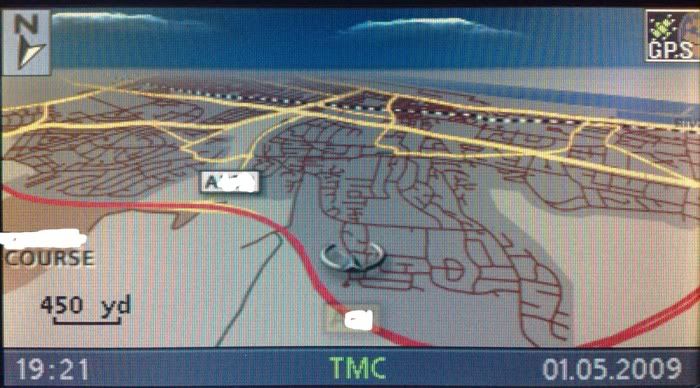
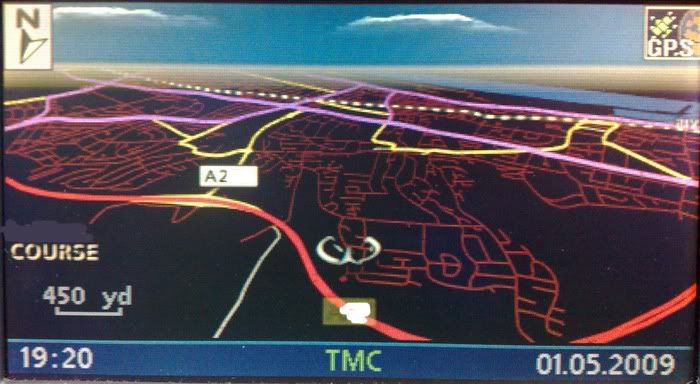
Can this be altered by navtweak at all? I had a nice program I made a few years back with my own splash screen and custom "warning" text, I love your color scheme and would like to know if I could use your scheme but add my own splash and warning message? I totally forget how to even use Navtweak or even if its possible! Quote:

|
| Sponsored Links | |
|
|
|
|
#322
09-11-2009, 04:31 PM
|
||||
|
||||
|
Quote:
__________________
Sept 03, M3, Silver Grey. Retro-fits: Modded Mk4 DVD Drive, OEM Bluetooth, VR Control, Rainbow Speaker Upgrade, Sony SOT Amp, HK Sub, CCFL, Intravee II, NightMode.
|
|
#323
09-11-2009, 04:37 PM
|
|||
|
|||
|
Awesome thanks!
i forgot you need to make an iso file for navtweak to understand it  Doing it now! Thanks for creating such an amazing change to our boring nav screens!! 
|
|
#324
09-13-2009, 08:33 PM
|
|||
|
|||
|
hey fern or ccfj1 when i downloaded the file you put up there are 3 files when i unzip it do i burn those 3 onto a cd or do i have to turn them all into ".iso" then burn it if so how do i go by doing this?
but if its no trouble to anyone that knows how to do this can you add this splash screen for me and upload it thank you for your hard work and we really appreciate it 
|
|
#326
09-17-2009, 06:01 AM
|
||||
|
||||
|
Open the modded image and edit the navboot file.
__________________
Sept 03, M3, Silver Grey. Retro-fits: Modded Mk4 DVD Drive, OEM Bluetooth, VR Control, Rainbow Speaker Upgrade, Sony SOT Amp, HK Sub, CCFL, Intravee II, NightMode.
|
|
#327
09-17-2009, 08:05 AM
|
|||
|
|||
|
Quote:
|
|
#328
09-17-2009, 08:25 AM
|
||||
|
||||
|
Quote:
Presumably you download this and installed it in your nav computer? Quote:
post #88 and #244 show the colour palettes that need to be modified. Quote:
Quote:
Normally I would have a go at this for you, but I am very busy at the moment so I can't do it.
__________________
Sept 03, M3, Silver Grey. Retro-fits: Modded Mk4 DVD Drive, OEM Bluetooth, VR Control, Rainbow Speaker Upgrade, Sony SOT Amp, HK Sub, CCFL, Intravee II, NightMode.
|
|
#329
09-17-2009, 09:27 AM
|
|||
|
|||
|
Quote:
How can ichange the cursor with a car? Thank in advanced
|
|
#330
09-17-2009, 09:44 AM
|
||||
|
||||
|
Quote:
Quote:
Quote:
Making a new colour scheme from scratch takes a long time with changes and testing, I just don't have the time for doing it. Quote:
Open navtweak, then open navboot, the select romicons tab and scroll down 2d pointer icons start at romicons '86 and do to #109 3d pointer icons start at romicons '110 and do to #133 HTH
__________________
Sept 03, M3, Silver Grey. Retro-fits: Modded Mk4 DVD Drive, OEM Bluetooth, VR Control, Rainbow Speaker Upgrade, Sony SOT Amp, HK Sub, CCFL, Intravee II, NightMode.
|
|
| Bookmarks |
|
|
|
|








 Linear Mode


