
|
|
|
|
||||||||||
| Xoutpost server transfer and maintenance is occurring.... |
| Xoutpost is currently undergoing a planned server migration.... stay tuned for new developments.... sincerely, the management |
 |
|
|
LinkBack | Thread Tools | Display Modes |
|
#81
 09-19-2006, 08:20 AM
|
||||
|
||||
|
__________________
2001 X5 3.0i (PP/WP/AP) Traded at 213K miles RARE White on Black - Why does everyone get Tan??  First E53 with 215s on XOutpost!! 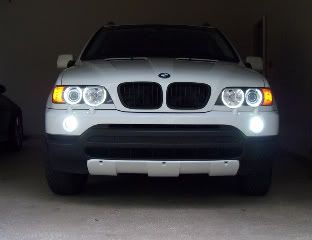 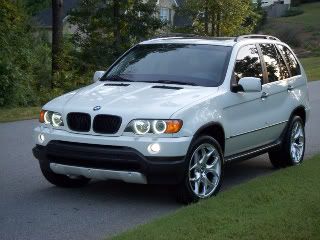

|
| Sponsored Links | |
|
|
|
|
#82
09-19-2006, 11:31 AM
|
||||
|
||||
|
OK, its working on Disc 1 - I was reading the directions which tells you to put it on Disc 6.
Thanks for the help!!
__________________
2001 X5 3.0i (PP/WP/AP) Traded at 213K miles RARE White on Black - Why does everyone get Tan?? First E53 with 215s on XOutpost!!
|
|
#83
09-19-2006, 12:03 PM
|
||||
|
||||

__________________
Tom G. | european auto source (eas) email: [email protected] web: www.europeanautosource.com tel 866.669.0705 | ca: 714.369.8524 x22 | fax: 714.908.1796  Twitter | Flikr | Facebook | YouTube
|
|
#84
09-20-2006, 10:27 PM
|
||||
|
||||
|
Is the font small/large issue on the Nav display with the ICELINK PLUS fixed with the DICE?
__________________
Stephen Skarlatos My Digital Life ------ Contributing Editor pocketnow.com -- it's all about portability... http://www.pocketnow.com
|
|
#85
09-20-2006, 10:34 PM
|
||||
|
||||
|
Quote:
__________________
Tom G. | european auto source (eas) email: [email protected] web: www.europeanautosource.com tel 866.669.0705 | ca: 714.369.8524 x22 | fax: 714.908.1796 Twitter | Flikr | Facebook | YouTube
|
|
#86
09-25-2006, 03:21 AM
|
|||
|
|||
|
here is a picture of my cd box, does this cable on the left mean that i have digital DSP? car is 2001 530i.
http://www.zone.ee/aise/DSC00088.JPG
|
|
#87
09-25-2006, 03:54 AM
|
||||
|
||||
|
Quote:
DICE iPod Integration Kit for BMW - DSP http://www.europeanautosource.com/pr...roducts_id=284
__________________
Tom G. | european auto source (eas) email: [email protected] web: www.europeanautosource.com tel 866.669.0705 | ca: 714.369.8524 x22 | fax: 714.908.1796 Twitter | Flikr | Facebook | YouTube
|
|
#88
09-26-2006, 12:46 AM
|
|||
|
|||
|
Hello Tom:
I am trying to install the i-BMW-T in a 2006 BMW X5 4.4i without Nav and without DSP. I removed the fuses for the radio (#7, 72, 73) and cd changer (#75). I connected the 3- and 6-pin connectors to the DICE interface cable. Next, I connected the interface cable to the DICE module. Then I connected the dock cable to the DICE module. Then I connected the dock cable to my iPod. Finally, I re-inserted the proper fuses. I turned on my car and radio. When I hit mode, the stereo only switches between radio and cd player. The DICE/iPod does not show up as an option, and there is no initialization. Also, the iPod does not receive any charge while connected to the dock cable and DICE module. What am I doing wrong? Do I really have to disconnect the battery? Or is removing the fuses sufficient? My iPod is a 3rd generation unit with version 2.3 firmware. I also tried my girlfriend's photo iPod, version 1.2.1, with no luck as well. Thanks in advance for your help.
|
|
#89
09-26-2006, 01:11 AM
|
||||
|
||||
|
Question for Tom!
I currently have the Icelink Plus, but I need an aux. input.... can I swap out the icelink for the dice? (can i use the existing cable?) ALSO, I just noticed Dice doesn't allow Artist browsing! I really like that feature. IS THE AUX ADPATER AVAIL FOR ICELINK PLUS? Thanks! Last edited by zerochief; 09-26-2006 at 01:21 AM.
|
|
#90
09-26-2006, 02:58 AM
|
||||
|
||||
|
Quote:
The 3 pin connector (BMW side) has a brown wire, can you tell me if it's located in the middle or the end positon of the connector? This will determine if you are using the correct connector.
__________________
Tom G. | european auto source (eas) email: [email protected] web: www.europeanautosource.com tel 866.669.0705 | ca: 714.369.8524 x22 | fax: 714.908.1796 Twitter | Flikr | Facebook | YouTube
|
|
| Bookmarks |
| Thread Tools | |
| Display Modes | |
|
|
|
|

![[eas] Official DICE iPod integration kit Q/A thread](https://xoutpost.com/iconimages/mobile-electronics-forum/eas-official-dice-ipod-integration-kit-q-thread.gif)




 Linear Mode


