
|
|
|
|
||||||||||
| Xoutpost server transfer and maintenance is occurring.... |
| Xoutpost is currently undergoing a planned server migration.... stay tuned for new developments.... sincerely, the management |
 |
|
|
LinkBack | Thread Tools | Display Modes |
|
#611
 10-18-2011, 04:09 AM
|
||||
|
||||
|
Quote:
__________________
Sept 03, M3, Silver Grey. Retro-fits: Modded Mk4 DVD Drive, OEM Bluetooth, VR Control, Rainbow Speaker Upgrade, Sony SOT Amp, HK Sub, CCFL, Intravee II, NightMode. 
|
| Sponsored Links | |
|
|
|
|
#614
10-18-2011, 04:36 AM
|
||||
|
||||
|
Thats for a mk3 mate, is that what you are modding??
If it is then mod the 63 to 64 (anything different really). Also if it is the mk3 you are modding the OS for, make sure that its saved as a mode2/form1 image. ****it must be a mode2/form1*** for it work correctly in a mk3, do not put a mode1 disc image in the mk3 as it will break your drive.
__________________
Sept 03, M3, Silver Grey. Retro-fits: Modded Mk4 DVD Drive, OEM Bluetooth, VR Control, Rainbow Speaker Upgrade, Sony SOT Amp, HK Sub, CCFL, Intravee II, NightMode. Last edited by ccfj1; 10-18-2011 at 04:44 AM.
|
|
#616
10-18-2011, 04:42 AM
|
||||
|
||||
|
Then you are editing the wrong file, thats for the mk3 only.
Have a look at the dir tree in this pic mate. V2/RR/101/BMWC01S 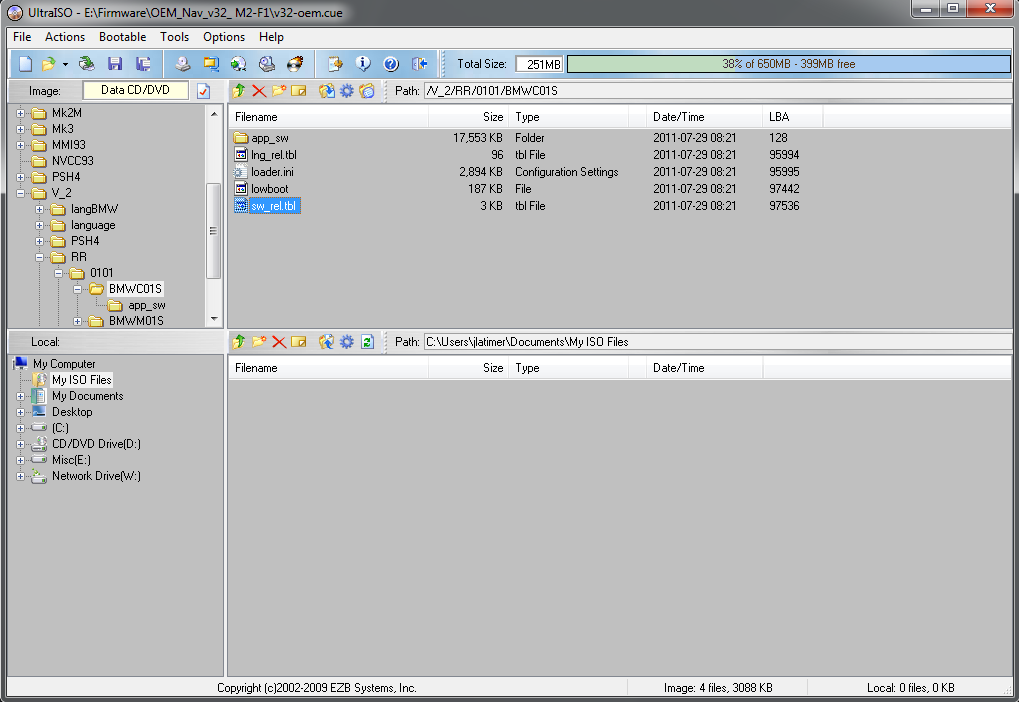
__________________
Sept 03, M3, Silver Grey. Retro-fits: Modded Mk4 DVD Drive, OEM Bluetooth, VR Control, Rainbow Speaker Upgrade, Sony SOT Amp, HK Sub, CCFL, Intravee II, NightMode.
|
|
#618
10-18-2011, 05:17 AM
|
|||
|
|||
|
Well holy crap it worked!!
Thanks for the assistance today i could not have done it without you ccfj1 and KiwiJochen. One more Q about your reply up the top, If I do more mods to the nav I would change the hex to 1002, then next time i do them 1003 etc? Dubs
|
|
#619
10-18-2011, 05:41 AM
|
||||
|
||||
|
No problem, yes, you can go back down too, as long as the number is different to the one in use, then it's all gravy mate.
__________________
Sept 03, M3, Silver Grey. Retro-fits: Modded Mk4 DVD Drive, OEM Bluetooth, VR Control, Rainbow Speaker Upgrade, Sony SOT Amp, HK Sub, CCFL, Intravee II, NightMode.
|
|
#620
10-21-2011, 02:26 PM
|
|||
|
|||
|
Hi guys, I'm trying to follow the poison instructions from the first page. I've got to the bit where I need to run Navspeak.exe. Downloaded the 64 bit GTK and associated libraries but the navspeak.exe file just will not run. Any ideas?
Windows 7 64 bit (which i suspect might be the problem!). T
|
|
| Bookmarks |
|
|
|
|





 Linear Mode


