Home Forums Articles How To's FAQ Register
Go Back   Xoutpost.com > BMW SAV Forums > X5 (E53) Forum
Arnott
User Name
Password
Member List Premier Membership Today's Posts New Posts

Xoutpost server transfer and maintenance is occurring....
Xoutpost is currently undergoing a planned server migration.... stay tuned for new developments.... sincerely, the management


Reply
 
LinkBack Thread Tools Display Modes
  #231  
Old 06-09-2009, 02:09 PM
Member
 
Join Date: Feb 2009
Location: Saudi Arabia
Posts: 64
royemaun is on a distinguished road
Quote:
Originally Posted by katit View Post
Did you set your network card to IP specified in ReadMe.txt?

I also found useful to disable other network providers like Firewire and WiFi. I created separate hardware profile on my laptop to use with DIS. I left main network card and VM provider only

After you done that open DIS, go to set connection.

Then connect head to diag port which will power it up. I found that in order to set connection I have to run software first and then power up head and it will detect it. It may take like 30 second for head to appear on list.
@ katit,
i have also tried disabling the wifi/bluetooth, disconnecting/reconnecting the head even restarting DIS but no luck. but i was able to ping the IP for the head. i've tried self-test also but no response from the head. could be a defective head?

cheers,
Reply With Quote

Sponsored Links

  #232  
Old 06-09-2009, 02:09 PM
TwinsPoppa's Avatar
Member
 
Join Date: Sep 2008
Location: Silver Spring, MD
Posts: 3,523
TwinsPoppa is on a distinguished road
Quote:
Originally Posted by royemaun View Post
Hi Jose,

IP address: 192.168.68.1, Subnet Mask: 255.255.255.0 and Default Gateway, 192.168.68.1 and other virtual networks appears to be connected (firewalled)

i'm not currently playing with the GT1, but reffering to the image above, the status bar for diagnostic head is grey which i believe has no communication with the GT1 head, but when i run the TIS i get to see 3 bars red/yellow/green(1bar)

i really appreciate on helping me out.

cheers,
royemaun
I'm not sure but the firewall COULD be affecting the connection. Please turn off your firewall. Are you running XP or Vista? I'm not sure if this would work with Vista. Also, if XP, are you using the built-in XP firewall or a third-party?

Make sur eyou're connected to the X5 when trying to connect the diagnostic head.

The biggest thing (I don't know if Yohotech already updated the TXT file -doub it) is the info in the TXT file is INCORRECT. That's why I did that write-up. Basically you need to assign another IP address to the OPERATING UNIT (no the diagnostic head).

So, were you able to do all of the following with no problem?

3 – Configure DIS v55 to recognize DK (yellow diagnostic head)
a) Hit CTRL + G to switch to DIS v55. You will be in the Administration section by default. Select Config, System and look under Operating Unit. Set Operating Unit IP address to = 192.168.68.35. Leave Network Mask as the default 255.255.255.0. Leave Host Name to the default of "gt1ap". Leave Default Gateway as blank also by default.


However, if you connect to the OBD-II port and look under Free Diagnostic Heads it does not show up (still)?

Try all that when you have a chance to get to the X and report back, please.

- Jose

Last edited by TwinsPoppa; 06-09-2009 at 02:20 PM.
Reply With Quote
  #233  
Old 06-09-2009, 02:14 PM
Member
 
Join Date: Feb 2007
Location: St. Louis, MO
Posts: 149
katit is on a distinguished road
Quote:
Originally Posted by royemaun View Post
@ katit,
i have also tried disabling the wifi/bluetooth, disconnecting/reconnecting the head even restarting DIS but no luck. but i was able to ping the IP for the head. i've tried self-test also but no response from the head. could be a defective head?

cheers,
If you were able to ping IP for head - I would say you good. Try to reupload head info, etc. If nothing works - disconnect head from power, reconnect and wait more.
Reply With Quote
  #234  
Old 06-09-2009, 02:20 PM
Member
 
Join Date: Feb 2009
Location: Saudi Arabia
Posts: 64
royemaun is on a distinguished road
Quote:
Originally Posted by TwinsPoppa View Post
I'm not sure but the firewall COULD be affecting the connection. Please turn off your firewall. Are you running XP or Vista? I'm not sure if this would work with Vista. Also, if XP, are you using the built-in XP firewall or a third-party?
as far as i can remember when i tried to connect the GT1 head the very first time, it was communicating properly in fact i was able to run my first diagnose session but it didn't allowed me to continue because of a low voltage issue. i didn't changed anything on my machine which is running XP. Also i think i came to a point where i've updated the head using SSS but did not complete the process though.
Reply With Quote
  #235  
Old 06-09-2009, 02:30 PM
TwinsPoppa's Avatar
Member
 
Join Date: Sep 2008
Location: Silver Spring, MD
Posts: 3,523
TwinsPoppa is on a distinguished road
Quote:
Originally Posted by royemaun View Post
as far as i can remember when i tried to connect the GT1 head the very first time, it was communicating properly in fact i was able to run my first diagnose session but it didn't allowed me to continue because of a low voltage issue. i didn't changed anything on my machine which is running XP. Also i think i came to a point where i've updated the head using SSS but did not complete the process though.
Okay, if you were able to connect initially and received low voltage then you should NOT change any settings (like IP address for Operating Unit) per my write-up.

The low-voltage issue is because the later version DIS is more picky about voltage - that's why you should have a battery charger (also why I like DIS v43 better for most stuff).

I've NEVER run SSS yet through VMWARE. I know Riaz confirmed it worked for him but I actually have not used it since receiving a good copy of the SSS DVD.

I'm not sure if you were supposed to update, or not, the head. That MIGHT have something to do with it.

I don't really use the VMware much (I need to re-install DIS and try SSS) then maybe I can do some research.

I was going to say check the IP address assigned to the diagnostic head but if its not showing ...

So, first thing is ... did you or did you not change the Operating Unit IP address?
Reply With Quote
  #236  
Old 06-09-2009, 04:19 PM
Member
 
Join Date: Feb 2009
Location: Saudi Arabia
Posts: 64
royemaun is on a distinguished road
Quote:
Originally Posted by TwinsPoppa View Post
Okay, if you were able to connect initially and received low voltage then you should NOT change any settings (like IP address for Operating Unit) per my write-up.

The low-voltage issue is because the later version DIS is more picky about voltage - that's why you should have a battery charger (also why I like DIS v43 better for most stuff).

I've NEVER run SSS yet through VMWARE. I know Riaz confirmed it worked for him but I actually have not used it since receiving a good copy of the SSS DVD.

I'm not sure if you were supposed to update, or not, the head. That MIGHT have something to do with it.

I don't really use the VMware much (I need to re-install DIS and try SSS) then maybe I can do some research.

I was going to say check the IP address assigned to the diagnostic head but if its not showing ...

So, first thing is ... did you or did you not change the Operating Unit IP address?


I think the IP address was 192.168.68.55 from the SSS and i changed it to 192.168.68.35
Reply With Quote
  #237  
Old 06-09-2009, 06:01 PM
TwinsPoppa's Avatar
Member
 
Join Date: Sep 2008
Location: Silver Spring, MD
Posts: 3,523
TwinsPoppa is on a distinguished road
Quote:
Originally Posted by royemaun View Post
I think the IP address was 192.168.68.55 from the SSS and i changed it to 192.168.68.35
Okay, to confirm I understand correctly:

1) The diagnostic head was recognized and WAS working with DIS v55 (wmware) when you encountered the voltage problem. Does DIS v55 still work with the diagnostic head now? If not, did you change the Operating IP Address on DIS v55 and/or something else?

2) Again, I have not worked with SSS at all. I assume SSS is another virtual machine that you have to open with vmplayer. Did the diagnostic head work with SSS BEFORE you made any changes to it? If the IP address was the only change you did, I would change it back.

Any of that inaccurate?
Reply With Quote
  #238  
Old 06-09-2009, 06:28 PM
Member
 
Join Date: Feb 2009
Location: Vancouver, WA/PDX
Posts: 831
jsears is on a distinguished road
Quote:
Originally Posted by TwinsPoppa View Post
* DIY still in progress*
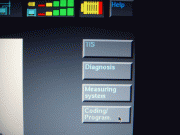
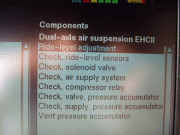
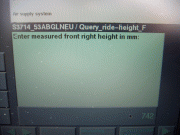
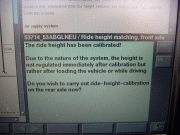
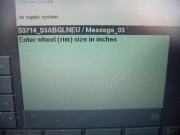
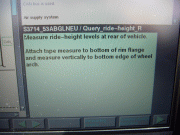
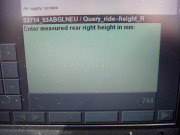
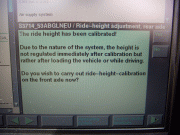
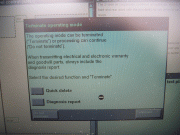
1) Main screen ---------> 2) Select: Diagnosis


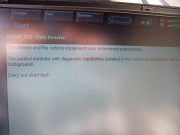
3) Select: series & model -> 4) Confirmation vehicle & modules identified


5) Highlights all modules found -> 6) Select: Short Test


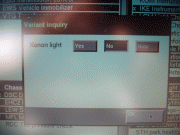
7) Answer Variants ------> 8) Short Test completed


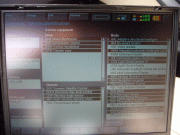
9) Select: Function Selection -> 10) Select: Service Functions, Chassis, Dual-axle air suspension EHCII


11) Select: Ride-level adjustment -> 12) Select: Test Plan


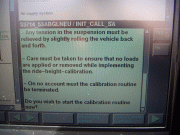
13) Displays own test plan -> 14) Prepare vehicle


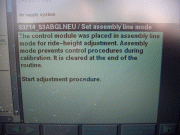
15) Start calibration: YES -> 16) Confirming Assembly Line Mode


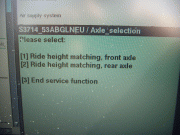
17) Select: Ride height matching, front axle -> 18) Front wheel size: 20


19) Ignore (don't measure) -> 20) Enter Front, Right: 742


21) Enter Front, Left: 742 -> 22) Confirm L&R values and start calibration: YES


23) Front calibration complete, calibrate rear: YES -> 24) Rear wheel size: 20


25) Ignore (don't measure) -> 26) Enter Rear, Right: 744


27) Enter Rear, Left: 744 -> 28) Confirm L&R values and start calibration: YES


29) Rear calibration complete, calibrate front: NO -> 30) Assembly Line Mode deleted


31) Service Function ended -> 32) Select: End, Quit


33) Terminate Operating Mode: Terminate


Ride-Level adjustment complete!

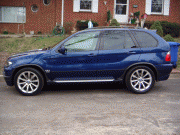
After being lowered 35mm (normally the lowest setting):


If you want to see a before pic, click on the first pic in my sig.
Can you come out to Portland and lower mine?
__________________
Jeff
Current:
'07 Jeep Wrangler
'06 BMW X5 3.0i

Former:
'12 WRX; '08 WRX; '06 BMW X5 4.8is Dinan S1; '02 BMW 530i Dinan S2
Reply With Quote
  #239  
Old 06-09-2009, 06:43 PM
TwinsPoppa's Avatar
Member
 
Join Date: Sep 2008
Location: Silver Spring, MD
Posts: 3,523
TwinsPoppa is on a distinguished road
Quote:
Originally Posted by jsears View Post
Can you come out to Portland and lower mine?
Jeff,

I don't know. Can I?! You fly me I'll do it!

If I could take a road trip I would but I think it would be too long to your place from the East coast. Maybe you could come to me?

Go spend the money on the system and do it yourself. Then you can do all the other stuff too.

Wish you were closer.

- Jose
Reply With Quote
  #240  
Old 06-09-2009, 06:47 PM
Member
 
Join Date: Feb 2009
Location: Vancouver, WA/PDX
Posts: 831
jsears is on a distinguished road
Quote:
Originally Posted by TwinsPoppa View Post
Jeff,

I don't know. Can I?! You fly me I'll do it!

If I could take a road trip I would but I think it would be too long to your place from the East coast. Maybe you could come to me?

Go spend the money on the system and do it yourself. Then you can do all the other stuff too.

Wish you were closer.

- Jose
If you made a road trip you would be stopping off at every Xoutpost members house who has a dual axle self leveling suspension and doing theirs too! It'd be a good road trip to make some extra cash!
__________________
Jeff
Current:
'07 Jeep Wrangler
'06 BMW X5 3.0i

Former:
'12 WRX; '08 WRX; '06 BMW X5 4.8is Dinan S1; '02 BMW 530i Dinan S2
Reply With Quote
Reply

Bookmarks

Tags
gt1 setup


Posting Rules
You may not post new threads
You may not post replies
You may not post attachments
You may not edit your posts

BB code is On
Smilies are On
[IMG] code is On
HTML code is Off
Trackbacks are On
Pingbacks are On
Refbacks are On


All times are GMT -4. The time now is 10:06 AM.
vBulletin, Copyright 2026, Jelsoft Enterprises Ltd. SEO by vBSEO 3.6.0
© 2017 Xoutpost.com. All rights reserved. Xoutpost.com is a private enthusiast site not associated with BMW AG.
The BMW name, marks, M stripe logo, and Roundel logo as well as X3, X5 and X6 designations used in the pages of this Web Site are the property of BMW AG.
This web site is not sponsored or affiliated in any way with BMW AG or any of its subsidiaries.